A deep technical look at lossless scaling:a low-cost breakthrough in frame generation
So here’s something wild—a seven-dollar piece of software on Steam is currently sitting as the platform’s second-best-selling application, right behind Wallpaper Engine and ahead of all those VTuber apps that frankly I still don’t fully understand. Lossless Scaling has this almost cult-like following, and honestly? After spending weeks testing it, I kind of get why.
This thing challenges Nvidia, AMD, and Intel—companies worth literal trillions—in the upscaling and frame generation space. Hardware-agnostic solutions that work across virtually any modern GPU without needing developers to lift a finger integrating anything. That’s… that’s actually kind of remarkable when you think about it? While native implementations like DLSS, FSR, and XeSS maintain quality advantages through direct engine access (and they absolutely do, let’s be clear), this independent tool carves out genuinely meaningful use cases through sheer versatility, affordability, and—here’s the kicker—features the industry giants somehow haven’t delivered yet.
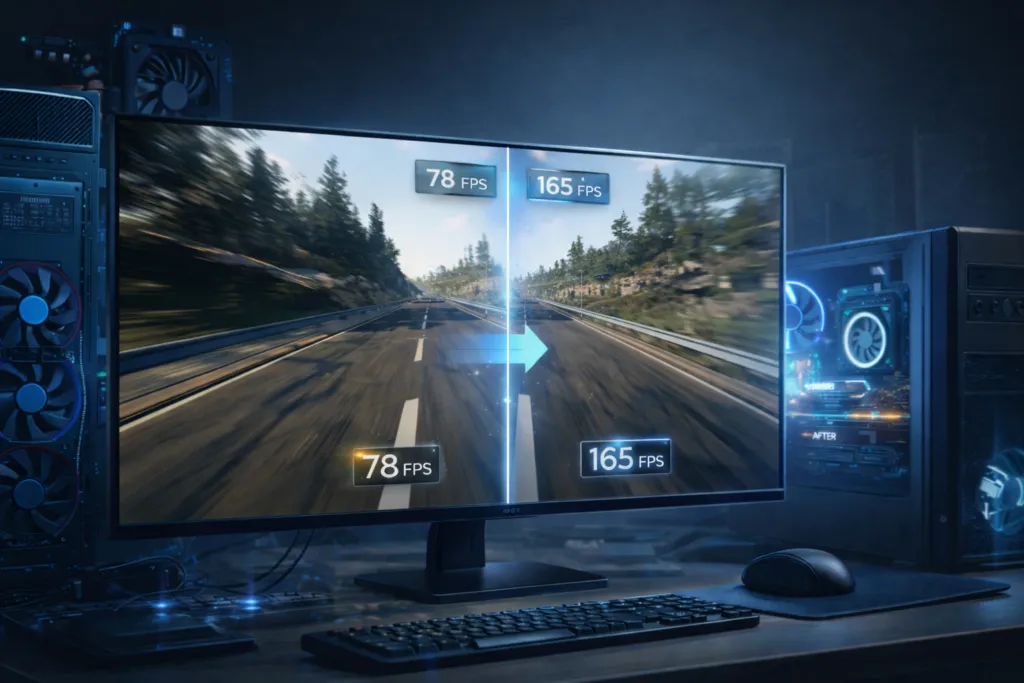
Frame generation performance: three critical capabilities
Pushing boundaries with experimental multipliers
The frame generation tech operates by capturing completed frames through the DXGI API, downscaling them to estimate motion data, then rendering full-res warps between original frames. Version 3.1 (the newest at the time of testing, though updates come frequently) introduces two operational modes addressing different priorities.
Fixed mode uses static multipliers from 1x to… wait for it… 20x. Twenty. Times. Inserting interpolated frames between real game frames at predetermined ratios—a 4x multiplier generates three synthetic frames between every two authentic frames. Higher settings? Experimental territory. The 20x capability exists primarily as a technical flex, honestly—transforming theoretical 40fps base into 800fps output—though visual quality degrades catastrophically. Like, impressionist painting catastrophically. But we’ll get to that.
Testing at 2x multiplication with 60fps base rates in Final Fantasy XVI’s dragoon sequence revealed… okay, so the rapidly spinning lance does this quantum superposition thing during generated frames. I’m not making this up—it literally appears in multiple positions simultaneously as the interpolation just completely gives up trying to bridge large positional gaps. Frame-by-frame analysis (and yes, I spent hours doing this, my eyes hurt) exposes the lance splitting in two, creating ghost images that blend poorly no, scratch that, blend terribly—with surrounding armor details.
These issues intensify during sudden motion bursts, producing blurry messes that challenge what your eyes can even process. Which, side note, is kind of the point? If your perception can’t catch it during normal gameplay, does it really matter? Philosophy aside…
Cyberpunk 2077’s high-speed Corpo Plaza run demonstrated more nuanced performance, and this is where things get interesting. At full playback speed during 100mph+ motorcycle sequences (and I’ve spent way too many hours just driving around Night City for “testing purposes”), 2x frame generation appeared relatively clean. Issues only became apparent when slowing to 50% or 25% speed flickering concrete columns, warping highway dividers, distorted road arrows. Normal gameplay conditions effectively masked these artifacts though.
The car model itself tracked well due to minimal screen-space movement. Your brain fills in the gaps. Passing vehicles and road elements? Significant breakdown, but you’re moving too fast to consciously register it most of the time.
Moving to 4x multiplication increased the temporal gap between real frames to 3.33 milliseconds forcing the algorithm to bridge wider visual distances, and here’s where stuff gets properly weird. The starry sky flickered and churned like some kind of cosmic lava lamp, background elements morphed continuously, and only UI elements maintained surprising stability. Actually, that’s a notable achievement UI handling has plagued all frame generation technologies, so when something gets it right (or mostly right), that deserves recognition.
At 10x multiplication? Oh boy. Streetlight poles phased in and out of existence like they were trapped in some kind of quantum uncertainty, passing cars transformed into what I can only describe as impressionist paintings and not the good kind, more like if Monet had a stroke mid-canvas and crash debris became abstract chaos. It’s simultaneously terrible and absolutely hilarious to watch.
Adaptive mode represents maybe Lossless Scaling’s most innovative feature (and I don’t use “innovative” lightly here)—dynamically adjusting fractional multipliers to maintain user-defined target frame rates independent of actual game performance. This addresses scenarios like Dark Souls II’s 60fps cap on 144Hz monitors, allowing perfect synchronization previously impossible without mods.
The mode prioritizes visual smoothness over image quality during performance fluctuations, though this introduces potential micro-stuttering as the relationship between internal game state and visual output cyclically expands and contracts. Which sounds technical and boring but actually manifests as this subtle pulsing sensation during gameplay that you either won’t notice or will drive you absolutely insane. No middle ground, apparently.
Marvel Rivals testing provided mixed results across different scenarios the built-in benchmark’s smooth panning camera produced minimal obvious issues at 2x, with problems emerging primarily during character movement. Jumping Loki’s staff stuttered visually (both Lokis, actually, because there were two of them and that’s not the software’s fault), health bars blurred, and frame-by-frame inspection revealed morphing tentacles on Venom’s attacks with doubled imagery that looked like he was having an identity crisis.
The training range wall-run with Rocket exposed severe challenges with repeating geometric patterns. Triangular guardrails jumbled badly, vertical posts split like they were undergoing mitosis, banner details overlapped chaotically basically anything with repeating shapes just falls apart under scrutiny.
Space Marine 2’s side-scrolling decapitation mission represented one of Lossless Scaling’s stronger showings, and honestly? Pretty impressive here. The strictly lateral camera motion proved easier for interpolation algorithms to handle—only minor warping on leg armor leading edges and slight blurriness on distant guardsmen and statues. This demonstrates that camera perspective and movement type significantly impact frame generation quality, which… yeah, makes sense when you think about how the tech actually works.
Understanding technical limitations and overhead
The fundamental constraint and this is important to understand—stems from its post-processing nature. Unlike DLSS or FSR, which receive motion vectors and depth information directly from game engines (basically cheat codes for making things look good), Lossless Scaling must infer everything from completed frames alone. This purely spatial approach explains both its universal compatibility and its comparative quality disadvantages. You can’t have your cake and eat it too, as they say.
Frame generation imposes computational overhead consuming GPU resources, potentially lowering base frame rates while increasing displayed frame rates. The developer recommends capping game frame rates to ensure untapped GPU headroom basically making sure your graphics card isn’t already maxed out before adding more work. A dual GPU mode addresses this by offloading processing to secondary graphics cards, and this is actually super cool even if it’s niche.
Not through SLI or alternate frame rendering (remember SLI? good times), but by dedicating the second GPU exclusively to frame generation tasks. If you’ve got an older but capable GPU gathering dust, suddenly it has purpose again. That’s pretty neat.
Latency increases represent another unavoidable consequence generated frames don’t correspond to actual game state updates, creating temporal disconnection between player inputs and visual feedback. Competitive players sensitive to input lag should approach frame generation cautiously, and I mean really cautiously. The technology cannot make unplayable 15fps scenarios feel like 30fps no matter what anyone claims—fundamental responsiveness issues persist regardless of synthetic frame insertion.
Upscaling quality analysis: three resolution comparisons
Evaluating LS1 against native rendering
Lossless Scaling offers ten different upscaling algorithms (ten!), with LS1 emerging as the most prevalent and interesting option based on community usage patterns. As a purely spatial upscaler applied to finished frames, LS1 operates without game engine information—accepting completed frames and rendering replacement frames at desired output resolutions through machine learning models.
Testing focused on 1080p-to-4K upscaling captured at 60fps, comparing three scenarios: native 1080p, LS1 upscaled to 4K, and native 4K rendering. This methodology establishes whether LS1 meets the minimum acceptability threshold—improving upon native 1080p presentation—before evaluating proximity to true 4K quality. Spoiler alert: results varied wildly depending on the game.
Marvel Rivals revealed LS1’s dual nature immediately, like Jekyll and Hyde but for graphics processing. Positive improvements included enhanced wood definition on background walls and clearer UI elements like attack symbols and segment text—actually looked pretty good. However, shadowed wooden floors between benches and pillars exhibited unpleasant graininess absent from native 1080p. Why? No idea, but it’s there.
Comparing against native 4K exposed severe oversharpening—wooden floorboards looked what I can only describe as “crunchy” from cascading sharpening effects between the game’s native processing and LS1’s algorithms stacking on top of each other. Hard edges on benches appeared super-aliased and jagged, like someone applied the “sharpen” filter seventeen times in Photoshop, while distant character models remained pixel clumps with exaggerated colored borders.
Loki’s fur cape provided stark demonstration—a gray pixel mass with LS1 versus actual, you know, fur texture at native 4K. Zooming on roof corner details showed LS1 subtly disturbing circular flower motifs on tile ends while providing zero meaningful improvement to larger golden flowers. Overall? LS1 behaved more like aggressive blur removal than true upscaling, oversharpening at default settings rather than reconstructing missing detail.
Baldur’s Gate 3 testing encountered technical limitations right out of the gate—scaling failing to apply in borderless mode, which is annoying because that’s a requirement for many games using Lossless Scaling. Windowed mode worked correctly though, revealing general improvements over native 1080p. Red robes appeared sharper, cobblestone roads gained definition, floating NPC text became clearer.
Yet these improvements came with costs. Fine edges on character models exhibited aliased crunchiness—creating impressions of clarity rather than genuine detail increases. It’s like when you turn up the sharpness on your TV and think it looks better until you actually look closely and realize everything just has weird halos around it.
The half-orc and tiefling comparison proved instructive (and I spent way too long zooming in on these character models, my partner thought I was going insane). LS1 successfully made shirt embroidery more discernible, but tail ridges and zigzag shoulder details only emerged at true 4K resolution. Gale’s hair looked noticeably worse with LS1 versus native 1080p—which is bizarre—though close-up dialogue surprisingly showed similar quality across all three captures.
This inconsistency characterizes LS1’s overall behavior. Simultaneous improvements and degradations depending on specific elements, like some kind of graphical whack-a-mole.
Space Marine 2 represented one of LS1’s better performances, and here’s where the technology actually shines a bit. Statue base details, armor definition, general sharpness improved reasonably over 1080p, reaching levels where active gameplay would struggle to distinguish quality gaps versus 4K. Mid-to-far elements like stonework, handrails, distant statues revealed the resolution differences more clearly—but you’re not staring at background statues during intense combat, right?
Thunderhawk details received slight definition boosts on top-mounted cannons and wing engines, though emblems and light towers demonstrated LS1’s fundamental limitation: it cannot create detail that wasn’t captured initially in the source 1080p image. You can’t upscale information that doesn’t exist. That’s just… physics? Math? Both?
Final Fantasy XVI’s high-contrast dragoon scene showed LS1 lifting slight visual haze from armor through edge tightening—the improvement proved small but generally noticeable across most elements. During the dragoon’s dive, cape embroidery held striking differences, though Clive’s chainmail armor lost depth and appeared flat despite overall improvements versus native 1080p.
This mixed performance—simultaneous upgrades and downgrades across different scene elements—typifies LS1’s spatial-only limitations pretty perfectly.
Addressing oversharpening and aliasing issues
Cyberpunk 2077 testing inside Lizzie’s Bar (great atmosphere, by the way, even if you’re just there for technical testing) demonstrated LS1’s sharpness restoration capabilities on the intricately detailed left-wall mural, successfully reducing blur compared to native 1080p. However, crawling aliased lines on alternating horizontal and vertical back-wall panels proved unsolvable—exactly the texture and geometry type that challenges all upscaling solutions, not just this one.
Mixed directional patterns in fine details consistently create visual instability. It’s a known problem across the board.
The woman’s jacket sleeve and collar lacked crispness compared to native 4K, while perforated metal panels in the background incorrectly replicated aliasing effects absent at true 4K. This reveals LS1’s fundamental struggle with fine detail visual stability—a consequence of its spatial-only processing without temporal or motion vector information to guide it.
The oversharpening issue stems partly from cascading effects when game native sharpening combines with LS1’s processing, like two aggressive sharpening filters fighting for dominance. The default sharpness slider setting of 1 (on a 0-4 scale) may require adjustment depending on specific games—users seeking optimal results should experiment with lower sharpness values to mitigate excessive edge enhancement, though this requires per-game tuning that native solutions handle automatically through developer integration.
Which is annoying, but also kind of part of the enthusiast appeal? Tweaking settings is fun for some people. I’m some people.
The independent developer advantage: three strategic strengths
Filling gaps in vendor solutions
Lossless Scaling’s primary value proposition centers on universal compatibility and scenarios where vendor-specific solutions remain unavailable—and there are more of these scenarios than you’d think. Older graphics cards lacking DLSS, FSR, or XeSS support suddenly gain access to modern upscaling and frame generation technologies. Games without developer-integrated solutions—particularly older titles or smaller releases from indie studios who can’t afford integration work—become candidates for performance enhancement without requiring patches or updates.
The emulation community represents a particularly enthusiastic user base, though I can’t officially test that because… legal reasons. Content strikes, channel takedowns, Nintendo’s lawyers probably hiding in my bushes right now. Theoretically, the tool would excel in emulated environments by applying modern upscaling to classic games never designed for high resolutions. But again, theoretically, not that anyone would ever do that.
Pixel art applications benefit from dedicated algorithms like XBR intended specifically for retro aesthetics, while the broader suite of ten upscaling options provides specialized tools for various content types. There’s surprising depth here.
The seven-dollar price point makes experimentation essentially risk-free compared to hardware upgrade costs—you could buy this instead of a fancy coffee, and it’ll provide way more value over time. Users can test frame generation and upscaling across their entire game libraries without per-game purchases or subscription fees (looking at you, GeForce Now). This democratizes access to technologies previously locked behind specific hardware generations or platform ecosystems, though with quality trade-offs users must evaluate individually.
Introducing features industry leaders haven’t
Adaptive frame generation with dynamic target frame rates stands out as genuinely innovative—and I mean genuinely, not just marketing-speak innovative. This is the type of feature typically announced at GPU launch events with dramatic lighting and carefully choreographed demos. Lossless Scaling implemented this capability before Nvidia, AMD, or Intel, demonstrating how independent developers can occasionally—just occasionally—outmaneuver trillion-dollar corporations in specific feature development.
That’s pretty wild when you think about it.
The dual GPU mode similarly addresses niche scenarios major vendors completely ignore because the market’s too small. While not SLI or alternate frame rendering (RIP SLI, you won’t be missed by most people), dedicating a secondary GPU to frame generation processing allows primary cards to focus exclusively on game rendering. Users maintaining older but capable graphics cards suddenly gain purpose for them beyond drawer storage or that “someday I’ll build a second PC” project that never happens.
Potentially extending hardware lifecycle and value—that’s legitimately good for consumers and the environment, even if it’s a small impact overall.
The adjustable multiplier system from 1x through 20x—while partially comedic at extreme settings, and let’s be honest, mostly comedic—provides granular control unavailable elsewhere. Users can fine-tune performance versus quality trade-offs to match their specific tolerance thresholds rather than accepting predetermined settings from vendor solutions. This enthusiast-focused customization philosophy permeates Lossless Scaling’s entire design approach, and it’s refreshing.
Building community through transparency
The developer’s willingness to expose extreme multiplier settings despite their impracticality reflects confidence and transparency that you don’t often see. Rather than artificially limiting capabilities to prevent “bad” outcomes or exaggerating performance claims—as hardware manufacturers occasionally… frequently… constantly do—Lossless Scaling trusts users to experiment responsibly.
This honest approach fosters the near-cult following the software enjoys. Like, people are passionate about this $7 tool.
Community guides explaining each upscaling algorithm’s intended purpose and optimal applications demonstrate the enthusiast engagement surrounding the tool—users actively share configuration recommendations, per-game settings, optimization strategies through Steam forums and discussion boards. This grassroots support network compensates somewhat for the lack of professional integration and developer partnerships. When you don’t have official support, community support becomes essential.
The $7 price point combined with frequent updates creates goodwill that expensive proprietary solutions struggle to match—users perceive Lossless Scaling as a passion project rather than profit-maximizing product, though this perspective may be partly romanticized. Regardless, the perception drives positive community sentiment and word-of-mouth promotion that money cannot easily purchase.
You can’t buy genuine enthusiasm. Well, you can try, but it usually looks fake.
The realistic assessment
Lossless Scaling deserves recognition as an interesting third-party utility filling legitimate gaps in vendor solution availability—and I want to emphasize “legitimate” here because this isn’t just novelty software. Its hardware-agnostic approach and universal game compatibility provide genuine value for specific use cases—particularly older hardware, unsupported games, and specialized applications like emulation (allegedly).
The adaptive frame generation and dual GPU modes introduce features major manufacturers haven’t yet delivered, which is either embarrassing for them or speaks to how niche these features actually are. Probably both?
However—and this is a big however—expecting Lossless Scaling to generally match or exceed native DLSS, FSR, or XeSS implementations sets unrealistic expectations that will only lead to disappointment. The fundamental disadvantage of post-processing finished frames without engine integration creates unavoidable quality gaps. Where vendor solutions exist with manual developer tuning and engine-level access, those will typically produce superior results. That’s just reality.
Frame generation past 2x multiplication offers questionable practical value, though the capability to experiment remains interesting for enthusiasts who like pushing boundaries just to see what happens. The technology cannot transform unplayable low frame rates into smooth experiences no matter what marketing might imply—latency and responsiveness issues persist regardless of synthetic frame insertion.
Ideal use cases involve already-playable frame rates that benefit from additional smoothness rather than attempting to salvage fundamentally poor performance. If your base performance is terrible, frame generation won’t save you.
The LS1 upscaling model shows its age compared to recently-polished frame generation features—results range from mild clarity improvements to rough oversharpening depending on specific games and scenes. It functions adequately as a blur reduction tool but doesn’t approach native high-resolution rendering quality, and anyone claiming otherwise is either lying or hasn’t actually compared them side-by-side. The spatial-only processing without temporal data represents a fundamental limitation no amount of algorithm refinement can fully overcome.
For seven dollars though? Lossless Scaling provides remarkable value to users understanding its limitations and appropriate use cases. The versatility, experimentation options, and community support make it worthwhile for enthusiasts who enjoy tweaking settings and exploring alternative approaches. Just don’t expect miracles.
Expect a competent, affordable tool doing its best with inherent structural disadvantages against trillion-dollar competitors with direct developer partnerships, unlimited budgets, and access to information this tool simply cannot obtain.
That it competes at all is kind of impressive, honestly.