The gaming PC component that’ll actually blow up your entire build (and nobody talks about it)
Look, I’m just gonna say it straight—your power supply is literally the one thing that can turn your $3000 gaming rig into a very expensive paperweight. And in 2026? That’s more true than ever.
So here’s the thing about PSU shopping in 2025… it was kind of a disaster, honestly. Everything we thought we knew got thrown out the window, and I mean EVERYTHING. That old advice everyone kept repeating—you know, the “just grab an 80 Plus Gold and you’re good” thing—yeah, that didn’t just become outdated. It became genuinely dangerous (more on that in a sec, but seriously, people’s Gold-rated units were literally catching fire while Bronze ones kept chugging along like nothing happened).
From where we’re sitting now in early 2026, it’s wild looking back at how much changed. ATX 3.1 became a thing, efficiency ratings basically died as a quality metric, and the whole community had to pivot to these new tier lists that… well, they actually work. For anyone building a gaming PC today—whether it’s your first or your tenth—understanding what happened isn’t just helpful. It’s essential if you don’t want to risk frying several thousand dollars worth of hardware because you picked the wrong PSU.
Three things that’ll keep your gaming PC from becoming a fire hazard
ATX 3.1 went from “nice to have” to “you need this yesterday”
The whole ATX standard situation got really interesting in 2025, and by interesting I mean it finally addressed some genuinely scary problems. ATX 3.0 and PCIe 5.0 were already helping with those crazy power spikes modern GPUs do (you know, when they suddenly pull like 3x their rated power for a split second during an intense gaming scene)—but ATX 3.1 is where things got serious about safety.
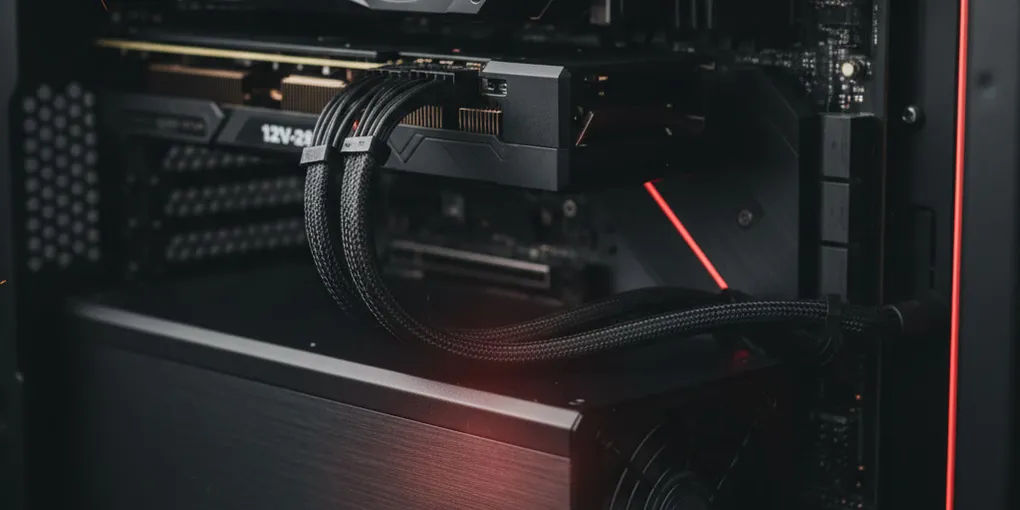
That 12-volt high-power connector thing… okay so technically it’s 12 pins but everyone calls it the 16-pin connector which is confusing but whatever—it showed up on Nvidia cards starting with the RTX 30 series and almost immediately people started reporting melting cables. Like, genuinely melting. We’re talking about connectors on $1500 GPUs just… melting. And not just one or two cases either, this was widespread enough that it couldn’t be blamed on user error (though Nvidia tried that angle initially, let’s be honest).
ATX 3.1 fixed this mess by redesigning the whole connector with the 12V-2×6 design—better pins, better contact, way better thermal performance. Corsair even put out these specific guidelines saying don’t bend the cable within 35mm of the connection or you’re asking for trouble. And they’re not wrong! I’ve seen what happens when you don’t follow that rule and trust me, it’s not pretty.
Now here’s where it gets cool though—some manufacturers like ASRock went above and beyond with their Phantom Gaming lineup. They actually built temperature sensors right into the GPU power cables themselves. So if things start getting too hot? The PSU just shuts down automatically. That’s the kind of safety feature that should honestly be standard across the board by now.
Practical advice time: if you’ve got an Nvidia GPU, get an ATX 3.1 PSU. Period. AMD and Intel GPU users can technically still use ATX 3.0 units safely… but why would you at this point? ATX 3.1 is the future-proof choice and the price difference isn’t that dramatic anymore. Any PSU still using the old 12VHPWR connector design without the 2×6 revision—just avoid it completely, I don’t care how good the sale is.
80 Plus ratings are dead (and they deserved It)
This one really bothered me when I first learned about it back in 2025. All those years of people saying “get Gold or better” and it turns out… efficiency ratings have basically nothing to do with whether your PSU is safe or well-built? Bronze, Silver, Gold, Platinum, Titanium—they only measure one thing: how much electricity gets wasted as heat during AC to DC conversion. That’s it!
What they DON’T measure is everything that actually matters: component quality, voltage regulation, how good the protection circuits are, ripple suppression (which matters way more than most people realize), whether it’ll handle transient spikes properly… none of that. And the energy savings between Bronze and Titanium? We’re talking like maybe five bucks a year even if you’re gaming heavily. Basically irrelevant.
The real wake-up call came when multiple Gold-rated units failed catastrophically—and I mean caught fire, took out other components, the whole nightmare scenario—while “inferior” Bronze units kept running perfectly. That’s when the community collectively realized we’d been looking at the wrong metrics this entire time.
Enter the SPL PSU Tier List, which basically saved everyone’s sanity. The old PSU Cultist List hadn’t been updated since early 2023 (which in PC hardware terms might as well be ancient history), so SPL and some folks from Levi’s TechTurf Discord picked up the torch. They do actual teardown analysis, check the internal components, test electrical behavior under stress conditions—all the stuff that matters.
The tier system is pretty straightforward once you get it:
- Tier A = premium quality, mandatory for high-end builds
- Tier B = excellent for most gaming systems
- Tier C = acceptable for budget builds with lower power needs
- Below C = just don’t, seriously
One interesting thing though—the SPL list is way stricter than the old one, especially for Tier A. Some PSUs that were rated A before got bumped down to B under the new criteria, which honestly is good! Better to have accurate ratings than inflated ones.
The cable thing that’s destroying more PCs than anything else
Modular cables are great, right? Cleaner builds, better airflow, you only plug in what you need—I love modular PSUs. But here’s the thing nobody warned us about until it was too late: mixing cables between PSUs is the fastest way to completely destroy your entire system.
And I’m not exaggerating. While the connections on the component side (your motherboard, GPU, drives) are standardized, the PSU side? Total Wild West. Every manufacturer does their own thing, and sometimes even different models from the same brand use different pinouts. Plug the wrong cable in and boom—instant death for your motherboard, GPU, SSDs, everything. The damage happens so fast that protection circuits don’t even have time to kick in.
I actually know someone who learned this the hard way last year—switched to a new PSU, kept using their old cables because they were nicer looking braided ones, powered on the system and… yeah. $2000 in fried components. Don’t be that person!
Cable extensions though? Those are totally fine because they plug into the standardized component-side connections. They usually run like $25-50 and you can get them in whatever color scheme you want. CableMod makes full replacement cable sets too, but—and this is critical—you HAVE to order the exact set for your specific PSU model. Not just the brand, the exact model number.
Pro tip from experience: if you’re troubleshooting weird stability issues, especially with your GPU, first thing to try is removing all cable extensions and using only the original PSU cables. This fixed more mysterious problems in 2025 than I can count, and it’s such a simple thing to check.
Matching your PSU to your build (without wasting money)
The ultra high-end stuff (when you need 1300W+)
For those monster builds—we’re talking flagship GPUs, heavily overclocked everything, maybe even workstation components—you need proper Tier A units with full ATX 3.1 support. No compromises here.
ASRock jumping into the PSU game was actually pretty exciting. Their Phantom Gaming 1600W unit at $279? That’s borderline ridiculous value when comparable units usually run $330-380. The Super Flower Leadex VII is another solid choice, comes in black or white (the white version looks slick in all-white builds), and Super Flower actually manufactures PSUs for other brands too so they know their stuff.
Mainstream gaming (where most of us actually are)
The 650-1200W range is where probably 90% of gaming builds land, and honestly 2025 gave us some fantastic options across the board.
XPG Core Reactor II VE—this thing is incredible value. Full ATX 3.1, Tier A rated, and during sales you can grab the 750W version for like $85. Even at regular price around $100 it’s a steal. The be quiet! Pure Power 12M is another favorite of mine, super quiet operation (hence the name I guess?), but make sure you get the 12M version specifically. The newer Pure Power 12 without the M isn’t as highly rated, which is… confusing branding honestly.
Budget territory (good enough without cutting corners)
Look, not everyone needs a Tier A PSU. For more modest builds under $500-600, carefully chosen Tier C units work fine.
Montech APX at $55 for 750W is kind of absurd value—though I’d probably keep Tier C units under 850W just from a safety perspective. MSI MAG A650BN BE gives you semi-modular cabling and sleeved cables at a good price. EVGA Prestige 600W proved itself during the crazy shortage years and it’s still solid for basic gaming rigs in 2026.
The math that keeps your system stable
That 1.5x rule you need to know
Modern GPUs do this thing where they spike way above their rated TDP during gaming—like briefly pulling 2-3x their normal power draw. So you take your total system wattage from PC Part Picker and multiply by 1.5. System pulls 500W? Get at least 750W. Shows 620W? You want 850W minimum.
You can round down to the nearest 50W safely enough—if you calculate 715W, dropping to 700W is probably fine. In practice most gaming builds end up needing 600-850W, with 1000W covering nearly all high-end single-GPU setups.
Scaling your tier choice
Budget builds under $500? Tier C is acceptable. Mid-range ($800-1500)? Go Tier B or A. High-end builds over $2000? Tier A only—it’s basically insurance for expensive hardware.
The SFX situation (for small form Factor fans)
Small form factor PSUs are trickier. Limited options, higher prices, and proportionally more junk units in the SFX market. Corsair SF series starts at $179 for 750W with ATX 3.1 compliance—premium pricing but solid quality. Tier list verification is extra important here since there’s less competition and more budget units trying to cut corners.
What’s different now (and what’s not going back)
The PSU market in 2026 operates on fundamentally different principles than before. Community-driven evaluation replaced marketing hype. ATX 3.1 went from premium to expected. Cable safety awareness spread after… well, after enough people learned expensive lessons.
Smart builders prioritize electrical design over efficiency stickers, tier lists over brand names, ATX 3.1 for GPU compatibility, and proper wattage headroom over minimum calculations. Your PSU can either destroy everything instantly or protect it for ten years—there’s not really a middle ground there.
Before buying anything, check current tier placement, verify the exact model revision (manufacturers love releasing updated versions with same names), confirm connector standards, and shop around for pricing. The lessons from 2025’s chaos aren’t going anywhere—they’re the new foundation for safe gaming PC builds going forward.