The Complete Guide to Choosing the Right Gaming Desk
A gaming desk is more than just a surface to place your equipment on—it is the foundation of a functional, comfortable, and visually cohesive gaming setup. A well-chosen desk helps organize hardware, supports ergonomic posture, and enhances the overall gaming atmosphere. Whether the user prefers a clean minimalist gaming space or a high-performance workstation loaded with peripheral devices, the desk plays a central strategic role in comfort, aesthetics, and efficiency.
- The Importance of a Gaming Desk
Gaming desks are designed with specific features that differentiate them from regular household or office desks. They support:
- Proper posture during long gaming sessions
- Strategic cable routing and hardware organization
- Efficient peripheral placement (keyboard, mouse, controllers, etc.)
- **Visual harmony and aesthetic consistency **within the gaming setup
The desk’s surface, size, and shape directly influence how comfortable and effective the player can be while gaming.
- Desk Size and Surface Space
Choosing the correct desk size depends on available room space and the type of gaming setup.
A. Length and Depth
- A 120–160 cm length works for single-monitor or compact setups.
- A 160–200 cm length is better for dual or triple monitor configurations.
- A minimum depth of 60–80 cm ensures enough space for the keyboard, mouse movement, and monitor visibility at a healthy viewing distance.
B. Surface Area
Wide surface space allows:
- Freedom of mouse movement (especially for low-DPI players in FPS games)
- Placement of accessories such as speakers, microphone arms, and streaming lighting
- Reduction in clutter and overcrowding
- Desk Shapes and Their Uses
Desk Shape Description Best Use Case
Straight Desk Standard rectangular surface Minimalist setups or limited space
L-Shaped Desk Two connected surfaces forming a right angle Multi-monitor setups or combination gaming + work area
U-Shaped Desk Wraparound surface Control centers, streamers with multiple devices
Standing/Adjustable Desk Height adjustment for sitting or standing Health-conscious gamers or long-session users
L-shaped desks have become popular among gamers who require extra space for storage, multiple screens, and dynamic desk layouts.
- Desk Material and Build Quality
The material of the desk affects durability, stability, and aesthetics.
Common Materials:
- MDF & Particle Board: Affordable, lightweight, wide design options
- Solid Wood: Premium, durable, adds warmth and style to the setup
- Glass: Modern and aesthetic, but prone to fingerprints and requires careful handling
- Metal Frames: Provide strong structural stability
The frame structure is especially important. A stable metal frame prevents wobbling during mouse movements and intense gameplay moments.
- Desk Surface Texture and Mouse Compatibility
Some gaming desks come with full-surface mouse pads, while others require a separate pad.
- Matte textured surfaces reduce reflections from RGB lighting and monitor light.
- Smooth surfaces offer less friction but may require larger mousepads.
- **Wood or carbon-fiber textured finishes **are currently popular for durability and modern aesthetic appeal.
- Cable Management and Organization
Cable management plays a major role in the visual and functional quality of a gaming setup.
Look for:
- Cable cut-outs or routing holes built into the desk
- Under-desk cable trays
- Velcro or magnetic cable ties
- Power strip mounts
A clean cable layout makes the setup look more professional and reduces physical desk clutter.
- Ergonomics and Comfort
Comfort during long gaming sessions is essential to avoid fatigue or strain.
Key ergonomic considerations:
- The desk height should allow the elbows to rest at a 90° angle when using the keyboard and mouse.
- **Standing desks **allow position variation and reduce back stress.
- Monitor height should align with eye level to prevent neck tension.
Pairing the desk with a proper gaming chair further enhances posture and endurance.
- Personalization and Aesthetic Styling
Gaming desks contribute heavily to the visual identity of the setup.
Attributes that enhance aesthetics:
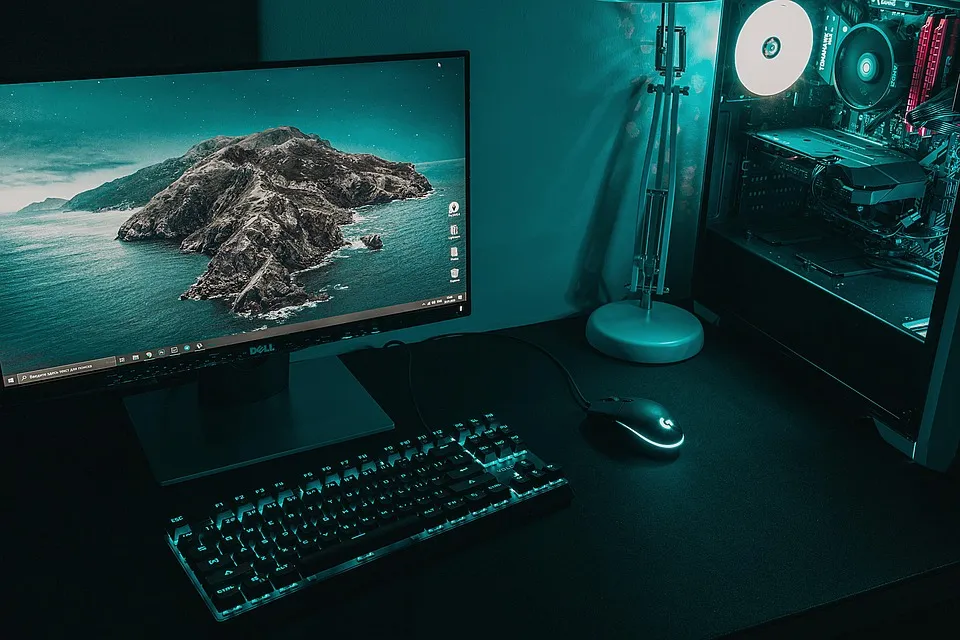
- RGB or LED under-glow lighting
- Clean and minimal décor
- Themed accessories (e.g., wood elements, neon colors, industrial metal)
- Symmetry in monitor placement
Some gamers use wall-mounted panels, shelves, and acoustic foam to complete the setup identity.
- Choosing a Desk Based on Playstyle and Setup Type
Setup Style Recommended Desk Type Reason
Competitive FPS Player Straight or standing desk Offers open mouse movement space
Streamer / Content Creator L-shaped desk Supports multiple monitors + audio equipment
Minimalist Aesthetic Solid wood surface with hidden cable management Clean visual environment
RGB-Focused Setup Desk with under-glow lighting + matte finish Enhances lighting effects
Matching the desk to the player’s priorities ensures long-term comfort and visual harmony.
Conclusion
A gaming desk acts as the structural anchor of the entire setup. By choosing a desk that balances space, stability, ergonomics, and personal style, gamers can create an environment that supports both comfort and performance. A well-designed desk enhances not only how the gaming setup looks—but also how it feels and functions.
The gaming desk is not just furniture.
It is the foundation of the gaming experience.