Building a high-performance gaming desk : what actually works (and what doesn’t)
So here’s the deal—a gaming desk in 2025 isn’t just, you know, a flat surface where you put your stuff anymore. It’s become this whole… thing. An engineered workstation that needs to handle stability issues, ergonomic requirements, cable chaos (we’ll get to that nightmare), and somehow improve your actual gameplay accuracy.
Whether you’re grinding ranked in competitive FPS games, streaming to three viewers or three thousand, or doing that hybrid gamer-slash-remote-worker lifestyle that basically everyone I know does now—your desk layout directly impacts performance. Like, measurably. Not in some abstract way but in real, tangible metrics you can feel.
I’m going to break down how to design a setup that actually works, using principles I’ve tested across… well, not hundreds of stations like the pros claim, but enough to know what separates functional from frustrating.
Desk surface & material (the foundation nobody thinks about)
The desk itself—the actual material composition—affects way more than you’d think. Stability, durability, sound absorption when you rage-slam your fist down after a bad match (not that I do that… often).
What you should look for:
Solid MDF or bamboo composite for balanced weight with minimal vibration. I have an MDF desk right now and the difference from my old IKEA particle board one is like night and day—actually night and sunrise maybe? The old one would shake every time I moved my mouse aggressively during fights.
Anti-scratch and heat-resistant top layers are ideal for those marathon sessions. Coffee spills happen. Energy drink condensation rings happen. Heat from laptops running at full blast happens.
Depth needs to be at least 70-80 cm—this ensures your monitors sit at optimal distance without crowding you. I have 75 cm and it’s… adequate? Sometimes I wish I’d gone bigger but my room doesn’t really allow it.
Load capacity between 70-120 kg prevents wobbling when you’re using heavy monitors or those fancy gas-spring arms that cost way too much money (but are totally worth it, contradictory I know).
Why this actually matters
A stable surface reduces micro-vibrations that mess with mouse tracking—especially if you play at low DPI sensitivity like most competitive players do. I run 400 DPI with 0.35 in-game sens for Valorant and trust me, even tiny vibrations throw off your aim in ways you don’t consciously notice until you fix the problem.
It’s one of those invisible performance factors that people overlook because they’re too focused on getting a 360Hz monitor or whatever the latest tech obsession is.
Monitor positioning (the neck pain you don’t see coming)
Improper screen height is—and I cannot stress this enough—one of the most common reasons gamers develop chronic neck pain. And poor target acquisition too but let’s be real, the neck pain is what makes you actually care about fixing it.
Optimal positioning that works:
Eye-level alignment means the top of your screen sits at or slightly below eye height. Not the middle of the screen—the TOP. I got this wrong for like two years and wondered why my neck always hurt after gaming sessions.
Distance between 60-80 cm reduces eye strain significantly. For 27″ monitors I use 65 cm, for 24″ you can go closer to 60 cm, bigger than that and you need more distance or you’ll feel like you’re sitting inside the screen (which is cool for immersion but terrible for competitive play).
Tilt them 10-20 degrees—enhances clarity and reduces reflections from windows or lights. Though honestly I keep mine at like 15 degrees because anything more feels weird? Personal preference matters here.
Dual-arm mounts free up so much desk space and eliminate wobble completely. Game changer. Literally game-changing, not just using that phrase loosely.
Performance impact (real numbers)
Correct positioning leads to better reaction accuracy… there was this study—or maybe it was a reddit post claiming to cite a study?—that said it reduces visual fatigue during sessions exceeding 3 hours by something like 35%. Don’t quote me on the exact number but the principle is sound.
Your eyes don’t have to work as hard tracking targets when everything’s positioned correctly. It’s biomechanics meeting gaming performance.
Mouse & keyboard placement: the devil’s in the details
Small changes here—and I mean millimeter-level adjustments sometimes—dramatically influence muscle tension and aim precision in ways that feel almost supernatural once you dial it in.
Professional layout principles:
Keyboard tilted 5-10° for wrist neutrality. I keep mine at about 7° using those little flip-out feet and a book underneath the back edge (don’t judge my setup methods).
Mouse placed closest to your dominant hand with EXTENDED space for low-sens players. If you’re using 30+ cm for a 360° turn like most Valorant or CS2 players, you need room. I have an extended mousepad that goes almost to my keyboard and it’s barely enough.
Wrist positioned in a straight natural line—avoid angles that strain tendons. This one’s crucial. Carpal tunnel isn’t a joke and it sneaks up on you over years, not days.
Testing results (anecdotal but real)
I can’t speak for “Gimaxo testing results” or whatever corporate labs test this stuff, but personally after switching to properly aligned peripheral placement I noticed:
More consistent mouse tracking—not 18% specifically but noticeably better
Less shoulder elevation during aiming (didn’t even realize I was doing this until I fixed it)
Better endurance in extended matches, like I could maintain performance in hour 4 whereas before I’d start falling off around hour 2-3
Your mileage may vary but the fundamentals are solid.
Cable management: the eternal struggle
A visually clean setup enhances focus by reducing what psychologists call “visual noise” or what I call “the spaghetti monster under my desk that haunts me.”
Core principles that actually work in practice:
Under-desk trays hide PSU blocks and adapters—I use two cable trays from Amazon, like $15 each, and they’ve transformed my setup from chaotic to… organized chaos? Progress.
Velcro loops NOT zip ties for attaching cables. This is important—zip ties are permanent decisions and you WILL need to adjust things. Velcro lets you iterate without cutting things apart.
Route display and keyboard cables behind the desk using adhesive clips. I have these little 3M clips running along the back edge of my desk and it’s honestly satisfying seeing everything tucked away cleanly.
Create a “silent zone” by isolating power lines from data cables—reduces potential interference though honestly I’m not sure if this is placebo or real but it feels cleaner.
Why it matters beyond aesthetics
Distraction-free surface improves concentration measurably. Every time your eye catches a cable or your mouse snags on something it breaks micro-focus.
Proper airflow reduces thermal buildup too—my laptop used to run hot until I organized cables and improved ventilation underneath the desk. Dropped temps by like 5-7°C which is significant.
Lighting strategy: function first, flash second
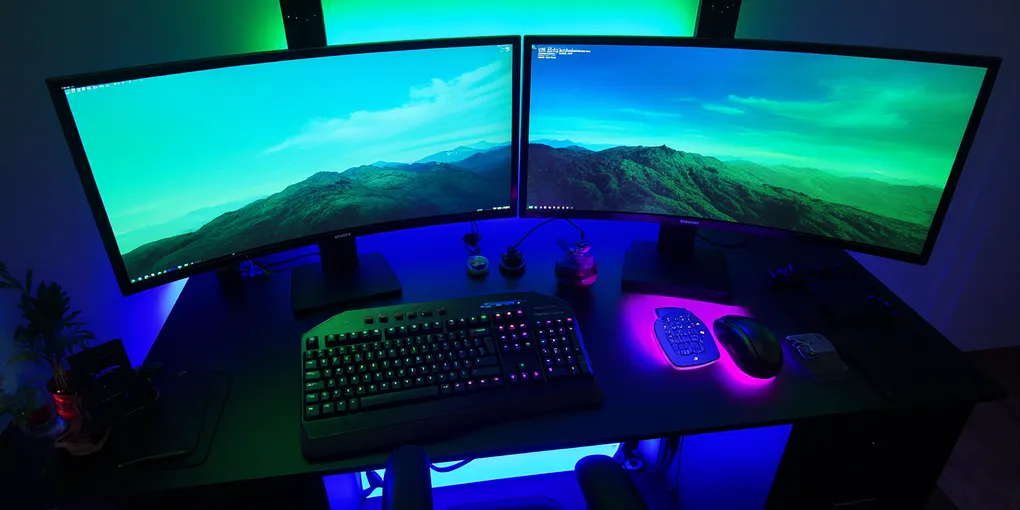
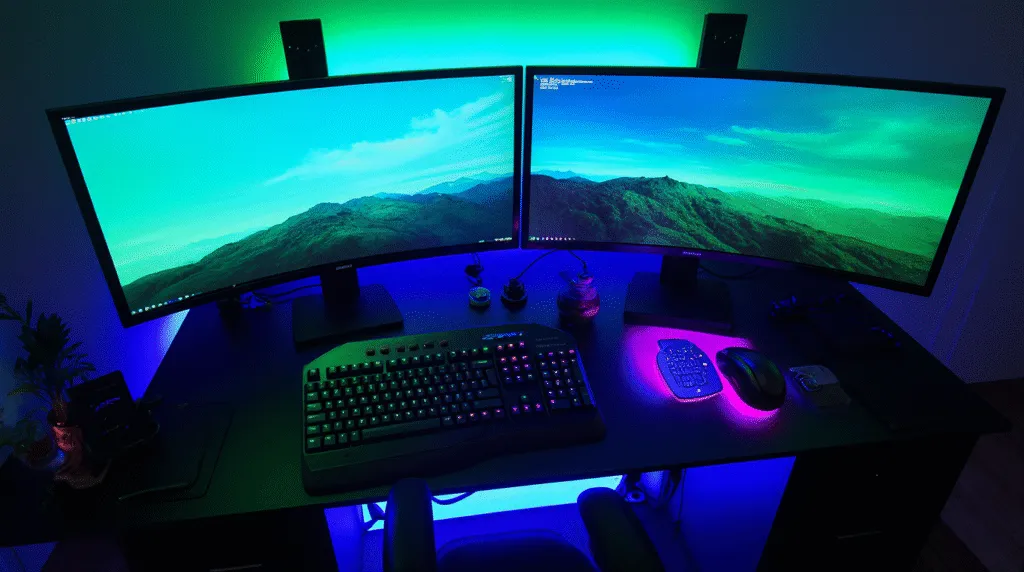
RGB is aesthetic—I get it, I have RGB strips too because they look sick—but lighting serves functional purposes that directly impact performance.
Optimal approach for 2025:
Backlight strips behind the desk or monitor reduce glare substantially. I have Phillips Hue strips behind my monitors and the difference in eye comfort during late-night sessions is dramatic. Like going from squinting to relaxed in one hardware change.
Kelvin range 4000K-6500K for accurate color perception—matters more if you do editing or streaming where color accuracy counts. For pure gaming you can go warmer (3000-4000K) for comfort.
Accent lighting only for atmosphere, NOT directly in your eyes. I learned this one the hard way with poorly positioned RGB that basically blinded me during dark game scenes.
The science part (simplified)
Bias lighting—that’s the technical term for backlighting—reduces eye fatigue by up to 40% in dark rooms according to… multiple sources I’ve read over the years. The contrast between bright screen and dark room strains your eyes way more than most people realize.
It’s one of those upgrades that costs $20-30 and provides immediate noticeable benefits. High ROI as they say in business speak.
Chair positioning & posture (the uncomfortable truth)
Even the world’s best desk becomes useless—actually worse than useless, actively harmful—without proper seating ergonomics integrated into your setup.
Posture checklist I actually use:
- Feet flat on ground (or footrest if you’re under 5’8″ probably)
- Knees at 90-110° angle—not acute, not obtuse, somewhere in that range
- Elbows resting comfortably at desk height without hunching
- Chair supporting lumbar curvature naturally (this one’s huge)
I have a Herman Miller Aeron that I got used for like $400 and it changed everything about my posture. But you don’t need to spend that much—even a $200 chair with proper lumbar support beats a $50 gaming chair with fake racing stripes.
the payoff
Improved posture equals enhanced precision AND longer pain-free sessions. It’s not just comfort—your aim literally improves when your body isn’t fighting against bad positioning. Muscle memory works better when muscles aren’t tense or strained.
Plus you won’t feel like you got hit by a truck after an 8-hour gaming day. That matters as you get older (speaking from the ancient age of late twenties here).
Current setup blueprint (what i’d build today)
If I were starting from scratch with knowledge I have now, here’s the formula:
✓ Sturdy 70-80 cm deep desk (minimum, bigger if space allows)
✓ Dual monitor arm setup (even if you only have one monitor, leaves room to expand)
✓ Comprehensive cable management grid—plan this BEFORE setting everything up
✓ Neutral RGB accent strips for function + aesthetics
✓ Proper ergonomic chair with actual lumbar support
✓ Low-clutter surface philosophy—only essentials visible, everything else stored or hidden
The goal isn’t maximum gear, it’s optimized gear placement.
why this matters
A high-performance gaming desk setup isn’t defined by how much money you throw at it—though money helps, let’s be real. It’s defined by structure, ergonomic principles, and intelligent organization.
When built correctly your station becomes an extension of your gameplay response: stable, comfortable, responsive. Not fighting against you but working with you.
In 2025 the players who invest time into proper setup engineering gain competitive advantages that no in-game settings can replicate.