

Arknights: Endfield on PC: Install Options, Requirements and Account Linking
How to install Arknights: Endfield on PC through GRYPHLINK or Steam: the requirements each official source lists, account linking, old test clients and updates.
Details below were checked on November 6, 2026 against Gryphline’s official announcements, Steam announcements and the Steam store page. The latest version update named in them is [Sanctuary of Ink] (October 15, 2026). A newer notice does not confirm every older rule here, so each rule is dated. Requirements and store pages can change, so confirm them on the store you use.
Arknights: Endfield is a free-to-play game from Hypergryph, published by GRYPHLINE. On PC there is more than one way to install it, and the steps differ. This guide covers the ways the official sources list, the requirements they give, the account steps and the updates.
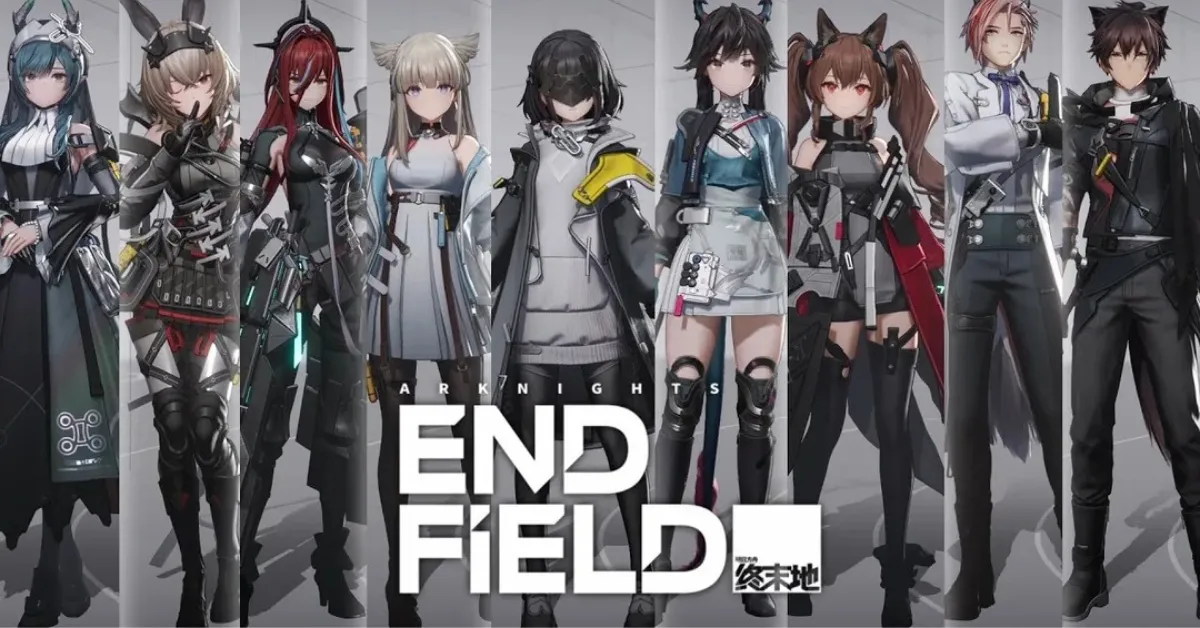
For an overview of the game itself, see our Arknights: Endfield guide.
Where you can get the game on PC
- GRYPHLINK: the official launcher from Gryphline. Gryphline’s pre-download notice of January 20, 2026 describes the PC pre-download through it.
- Steam: the store page shows a release date of October 14, 2026. Gryphline’s post, published October 14, 2026, gives the launch date as after the [Sanctuary of Ink] update of October 15, 2026, and Steam’s own announcement was published on October 15. Gryphline’s post says the Steam client is the only way to download and update that version.
- Epic Games Store: the January 20, 2026 notice lists it among the available platforms. The Epic page could not be read for this guide, so no price, requirement or release detail from it is given here.
This guide does not cover other routes. It found no official Gryphline page for running the game on PC through Google Play Games on PC, so it says nothing about it.

Check your PC first
Two official lists exist. They come from different dates and different places, and their storage figures are not the same, so they are kept apart here.
Gryphline’s pre-download notice (January 20, 2026), PC client
- System: Windows 10 64-bit or Windows 11 64-bit, DirectX 11.1 or higher.
- Minimum: Intel Core i5-9400F or equivalent, NVIDIA GeForce GTX 1060 or equivalent, 16 GB of RAM.
- Recommended: Intel Core i7-10700K or equivalent or higher, NVIDIA GeForce RTX 2060 or equivalent or higher with the latest GPU drivers, 16 GB of RAM or higher.
- Storage: 50 GB or more of free space, plus an additional 40 GB required when extracting files. The notice gives both figures and does not say how much of the extra space is freed afterwards. It recommends installing on an SSD.
Steam store page (read November 6, 2026)
- System: Windows 10 64-bit, DirectX version 11, a broadband internet connection.
- Minimum: Intel Core i5-9400F, NVIDIA GeForce GTX 1060, 16 GB of RAM.
- Recommended: Intel Core i7-10700K, NVIDIA GeForce RTX 2060, 16 GB of RAM.
- Storage: 60 GB of available space. The page gives one figure and no separate extraction space.
Gryphline’s Steam playtest notice of August 26, 2026 repeats the January figures (50 GB plus 40 GB while extracting files). This guide does not say which list the current Steam install follows. Check the space your installer asks for.
Install with GRYPHLINK
Gryphline’s January 20, 2026 notice describes two cases.
If you have not installed GRYPHLINK:
- Download the GRYPHLINK installation pack.
- Extract it and install the game launcher.
- In the launcher, download the Arknights: Endfield client.
If you have already installed GRYPHLINK:
- Open the launcher and click All Games in the bottom-left corner.
- Click Arknights: Endfield to open the game page.
- Download the client.
Always get the launcher from Gryphline’s official website, not from links shared in videos or forums.
Install from Steam
The Steam page lists the game as Free To Play and requires a GRYPHLINE Account, with support for linking it to a Steam account. It also lists a kernel-level anti-cheat (Anti-Cheat Expert) that “requires manual removal after game uninstall”, and a third-party EULA. Gryphline’s post of October 14, 2026 says the Steam version cannot be managed through the GRYPHLINK launcher.
Gryphline’s Steam client account linking guide of October 17, 2026 describes these cases:
- You have a Gryphline Account with an email: launch the game through Steam, choose the option to log into an existing email account and link, enter the email and the verification code, then confirm.
- You log in with a third-party account such as Gmail, Apple or Facebook: link an email to it in the Gryphline Account Center first. The email must not already be registered to another Gryphline Account.
- You are new: choose the register-and-link option.
The guide recommends linking an existing Gryphline Account if you already have a character on another platform, to carry your progress over. The button labels differ slightly between Gryphline’s posts, so follow what your screen shows.
If you played an earlier test
The January 20, 2026 notice says that if your device still has an older Arknights: Endfield client from a previous test, you should uninstall it before downloading the official release version. It also says that older GRYPHLINK versions from previous tests cannot download the official release client, so that old launcher should be uninstalled first. If you already have a current GRYPHLINK launcher that works normally, the notice does not ask you to remove it.
Your account and progress
Gryphline’s PSN account FAQ of January 19, 2026 says that within the same server, account data is shared across PC, Android, iOS and PS5. It also says account data is not shared between different servers, for example between the Americas / Europe servers and the Asia server. Gryphline’s Steam post of October 14, 2026 says the Steam version uses the same game servers and account data as the other platforms, and repeats that data cannot be shared between the Asia server and the Americas / Europe server.
Updating the game
- GRYPHLINK: the update notes of October 15, 2026 say to close the game, restart the GRYPHLINK launcher and click Update. That update was mandatory and required re-downloading and reinstalling the client. This applies to that version only.
- Steam: the Steam version is updated through the Steam client.
- Epic Games Store: Gryphline’s notices read for this guide do not describe the update process, so use the store’s own.
If it runs poorly after installing
Meeting the listed requirements does not rule out performance problems. The PC performance guide on this site helps you tell low FPS from stutter and possible connection problems.
After you install
Once you are in the game, the operators guide on this site explains how the roster is organized and what to check on an operator’s page.
A short checklist
- Choose the install method available for your device and region, and follow that platform’s instructions.
- Compare your PC with the list for the store or launcher you use, and check the free space your installer asks for.
- If you have a leftover client or old launcher from a previous test, remove it as the January 20, 2026 notice describes.
- On Steam, read the account-linking steps before you log in, and note the anti-cheat entry.
- Update the game through the launcher or store you installed it from.
What this guide does not cover
- Epic Games Store details beyond its place in Gryphline’s platform list.
- Running the game on PC through Google Play Games on PC.
- Any change after the notices of November 4, 2026.