Last updated: January 2026 Includes latest gaming mouse trends and performance updates
**This best gaming mouse guide covers everything you need to choose the perfect mouse from grip styles and performance tiers to the best budget picks available today.**Look, picking the perfect gaming mouse isn’t just about clicking “add to cart” on whatever has the most RGB lights though let’s be honest, RGB does make everything better.
It’s about understanding how your grip style, hand size (yes, size matters here), and what games you actually play fundamentally affect whether you’re going to dominate or rage quit. After testing what feels like every mouse ever created (dozens of models across all price ranges, to be precise), some clear patterns emerged about which mice actually deliver and which ones are just marketing hype wrapped in flashy packaging.
This guide matches the best gaming mice to every grip type, hand size, and gaming scenario you can imagine whether you’re a broke college student counting pennies or a competitive player willing to sell a kidney for that 0.001ms advantage.
This best gaming mouse guide is designed to help you find the perfect balance between comfort, precision, and performance.
If you’re building a complete gaming setup, choosing the right mouse is only one piece of the puzzle. Check our full Gaming Setup Guide to optimize your entire gear.
Gaming mouse grip styles explained (best gaming mouse guide)
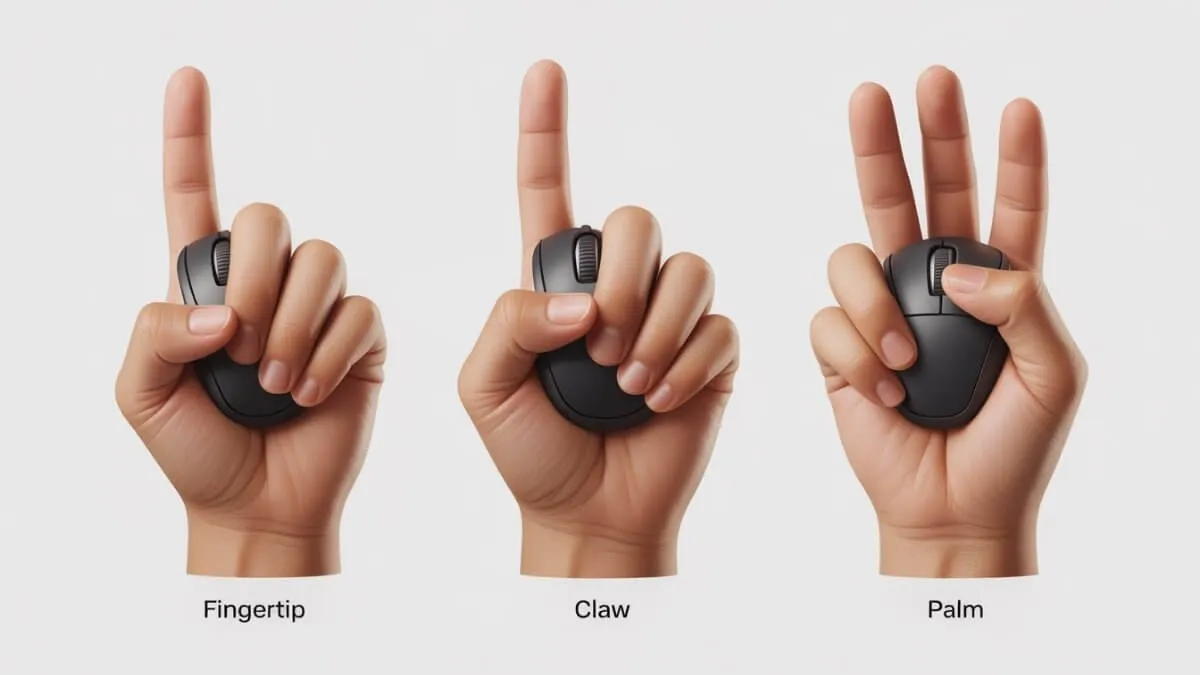
Comparison of fingertip, claw, and palm grip styles in gaming mice
Fingertip grip: lightweight precision champions
Fingertip grip is that thing where you’re barely touching the mouse, using just your fingertips like some kind of precision instrument surgeon. It demands lightweight, compact mice that enable those rapid micro-adjustments without your palm getting in the way. Two exceptional options dominate this category, and honestly both impressed me for completely different reasons. As explained in this best gaming mouse guide, fingertip grip is ideal for players who prioritize speed and precision.
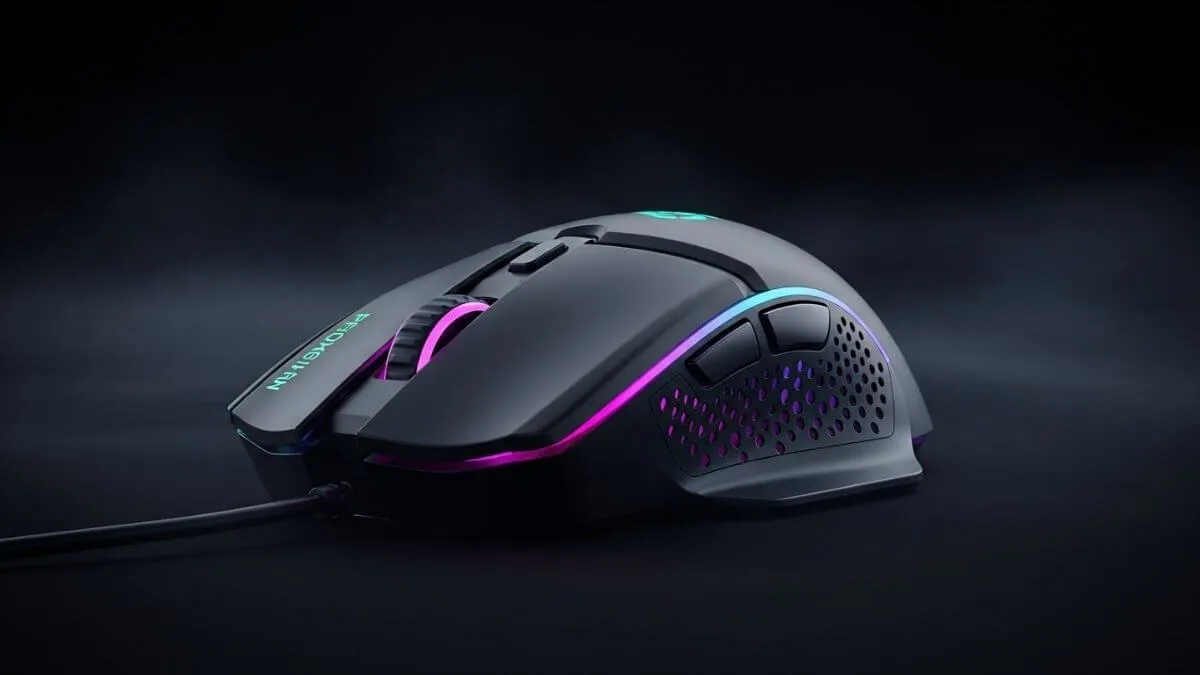
The WL Mouse Beast Meow yes that’s actually the name, I didn’t make it up represents engineering excellence crammed into miniaturized form. Constructed from magnesium alloy rather than typical plastic (which is a big deal, trust me), this tiny beast delivers structural rigidity that genuinely defies its minimal weight. I’ve tested other magnesium mice where I thought “why not just make it plastic?” but this one actually shows off what magnesium can do. The material choice eliminates that flex and wobble you get with many ultra-light competitors despite featuring significant shell cutouts that look like Swiss cheese.
Build quality genuinely impresses the magnesium construction showcases material advantages justifying the premium pricing. However, and this is a big however, the aesthetic choices create some friction points. There are extensive engravings all over this thing that can irritate your fingers during extended gaming sessions. They include these cat bean stickers (adorable, right?) to cover the side engravings, but if you don’t place them perfectly and I mean PERFECTLY they lift and rub and become incredibly annoying. Ask me how I know.
These limitations justify considering the Keyron M4 as an accessible alternative. This compact mouse delivers excellent fingertip grip performance at significantly lower cost, making it perfect for players wanting to explore fingertip grip without mortgaging their house. The primary weakness? The stock feet are pretty poor, so you’ll probably need to grab some decent aftermarket dot skates, but that’s a minor fix.
For fingertip grip players prioritizing build quality and willing to work around those annoying engravings, the Beast Meow delivers unmatched engineering. Budget-conscious players or anyone testing fingertip grip for the first time should absolutely start with the Keyron M4’s lower-risk investment.
Choosing the right grip style is essential, but it’s only one part of building a high-performance setup. To get the full picture, check out our complete gaming setup guide.
Claw grip: balanced control and precision
Claw grip is that middle ground arched fingers, partial palm contact, the Goldilocks of mouse grips. The VXE R1 Pro stands as my definitive claw grip recommendation, and this mouse legitimately shocked me with its quality considering the price.According to this best gaming mouse guide, claw grip offers a perfect balance between control and precision. It is that middle ground with arched fingers and partial palm contact, often described as the Goldilocks of mouse grips.
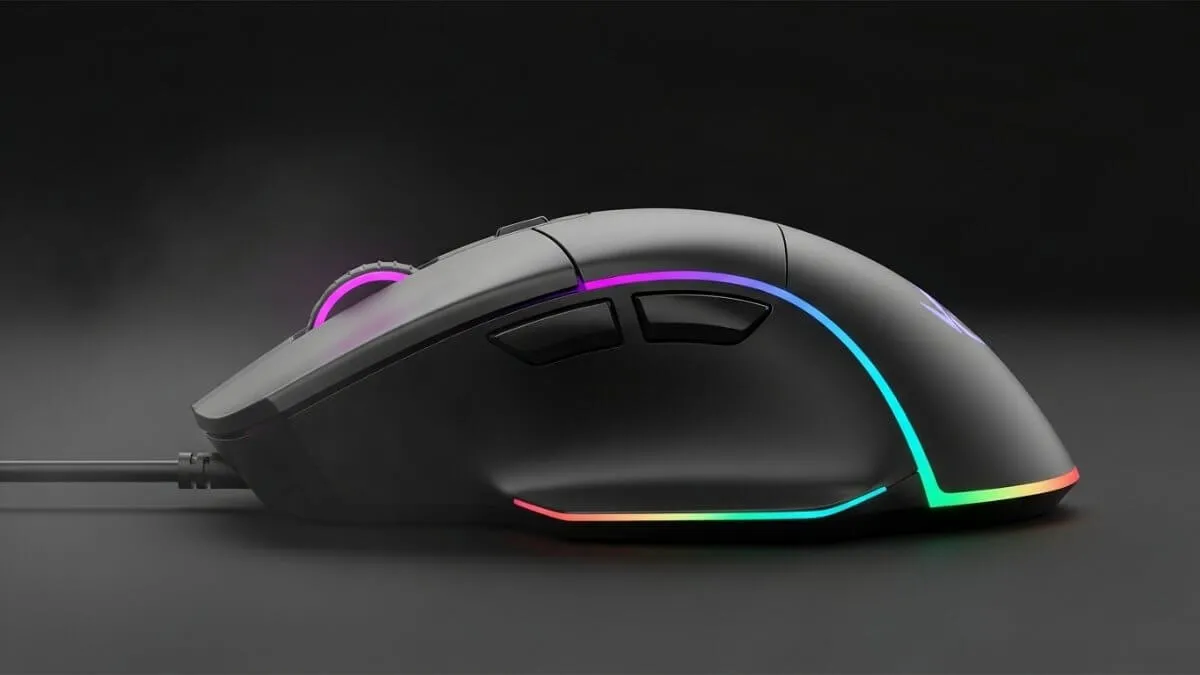
Curved gaming mouse design optimized for claw grip control
The build quality is outstanding to the point where if someone told me this cost $100, I wouldn’t even question it. Outstanding mechanical switches elevate the tactile experience way beyond what you’d expect from budget pricing. This mouse fundamentally challenged my assumptions about the correlation between price and quality turns out you don’t always get what you pay for, sometimes you get way more.
There’s also the VXE Mad R offering an alternative with optical switches instead of mechanical. While optical switches provide technical advantages on paper (faster response time, better durability, all that nerdy stuff), the tactile feedback feels less satisfying than the R1 Pro’s mechanical implementation. For most players and I’m speaking from extensive testing here the superior feel of those mechanical switches outweighs any marginal performance advantages you might see on a spreadsheet.
Important cautionary note though: the Pulsar X2 Crazy Light initially earned my recommendation for claw grip until reliability issues emerged that I couldn’t ignore. During testing, the mouse one switch just… stopped working properly. And this wasn’t even my first Pulsar mouse with this exact problem I’ve now had TWO fail the same way. While the Crazy Light series genuinely impressed me during those periods when it actually worked (and it worked beautifully), recurring switch failures eliminate it from serious consideration despite the excellent user experience. It’s like dating someone who’s perfect except they ghost you randomly eventually you move on.
For claw grip players seeking exceptional quality at accessible prices, the VXE R1 Pro delivers transformative value that completely recalibrates your expectations for what budget gaming mice can achieve.
Palm grip: comfort-focused ergonomics
Palm grip is for those who like to hold onto things and never let go full hand contact with the mouse body, embracing it like it’s part of your actual hand. Two options address different budget and customization priorities, and honestly both have their place.
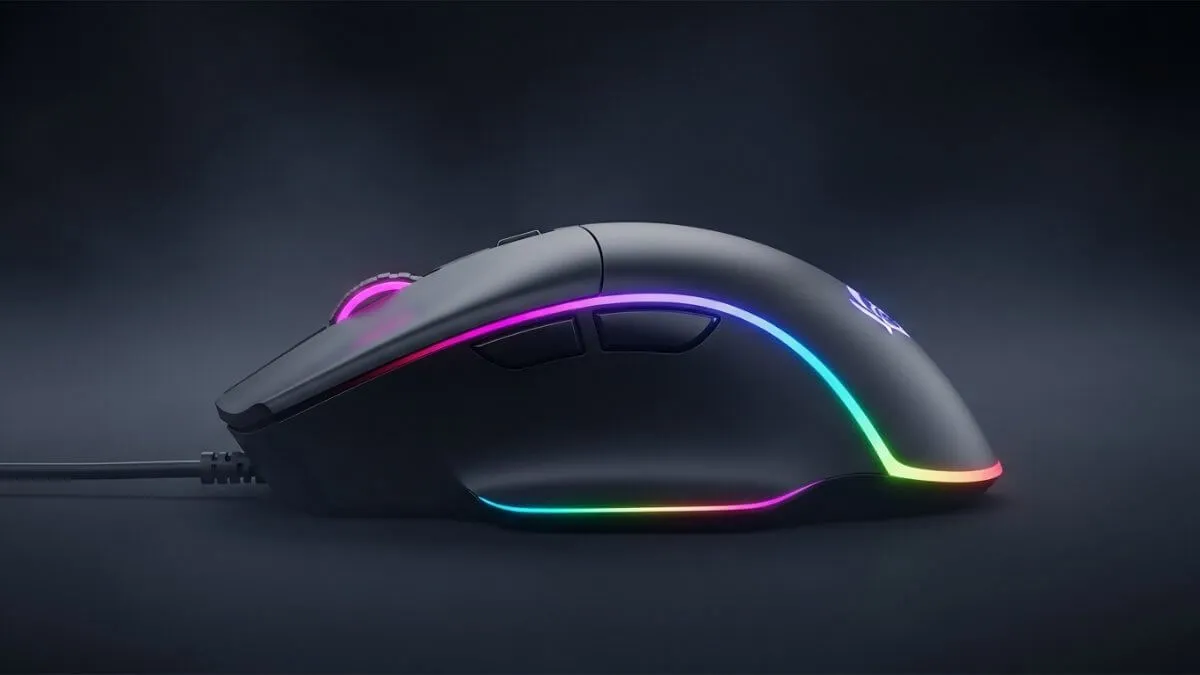
Ergonomic gaming mouse designed for maximum comfort in palm grip
The G703 clone specifically the TV variant (yes, it has a TV in it, we’ll get to that) delivers affordable, well-executed palm grip performance. Weighing approximately 50 grams while maintaining build quality that matches the original Logitech design, this clone offers exceptional value that makes you question why anyone pays full price for anything anymore. The Pro model includes a built-in TV display which sounds cool until you realize software limitations constrain its practical utility to basically being a novelty you show your friends once before never using again.
For perfectionists seeking ultimate customization and I mean the kind of people who spend hours adjusting every setting in existence the Orbital Pathfinder exists in a category completely of its own. This modular mouse enables extensive shape adjustments that sound almost too good to be true: modify rear curvature, flatten sides, adjust width and length to achieve personalized perfection. While height adjustment remains limited (you can’t make it taller, sadly), the customization potential exceeds anything else I’ve seen on the market.
The Pathfinder’s premium pricing demands justification it’s expensive, no way around that. But for players who’ve never found a truly comfortable mouse despite trying dozens of options (I know that feeling), the ability to create personalized geometry that fits YOUR hand specifically might actually justify the investment. Having 3D printer access extends customization possibilities even further through custom additions, which is pretty wild when you think about it.
Palm grip players on tight budgets should choose the G703 clone for proven comfort at accessible prices. Those prioritizing perfect fit over cost and who maybe lie awake at night thinking about optimal mouse shapes should seriously investigate the Orbital Pathfinder’s transformative customization capabilities.
Performance categories: specialized excellence
Lightweight performance: competitive edge
Ultra-lightweight mice in that 36-42 gram range provide maximum agility for competitive play it’s like the difference between swinging a baseball bat and swinging a toothpick. The Crazy Light series initially dominated my recommendations through superior build quality at those extreme low weights, but reliability concerns (remember those switch failures?) necessitate alternative suggestions now.
The VXE Mad R emerges as the closest alternative, matching Crazy Light weight and shape characteristics while potentially hopefully avoiding those switch reliability problems plaguing Pulsar products. For players seeking extreme lightweight performance without the anxiety of wondering when their mouse will randomly stop working, the Mad R delivers competitive advantages without apparent quality compromises.
Wired Performance: Maximum Responsiveness
Wired connections eliminate those wireless interference concerns that keep some competitive players up at night while maximizing polling rates. Two options address different ergonomic preferences and performance priorities.
The OP1 8K V1.02 represents peak wired performance through 8000Hz polling (which is absurdly fast). According to tests from RTINGS, gaming mouse performance depends heavily on sensor accuracy and latency, especially in competitive scenarios., hot-swappable switches, and lightweight modular software that doesn’t bloat your system. The hot-swap capability is genuinely one of my favorite features you can customize switch characteristics from silent to loud or anywhere between just by installing different three-pin compatible switches. The mouse design facilitates easy disassembly for modifications, which is consumer-friendly in a way that makes me actually respect the company.
However and this is crucial the narrow shape creates comfort concerns for many users. Before purchasing, carefully research whether this geometry actually suits your hand size and grip style, because if it doesn’t fit, all that performance becomes irrelevant when your hand cramps up.
The Razer DeathAdder V3 Wired provides more universally comfortable ergonomic design that just… fits most people’s hands. While not achieving the OP1 8K’s benchmark-topping performance (if you’re the type who benchmarks your mice and makes graphs), practical differences remain negligible during actual gameplay. The significantly broader compatibility with various hand sizes and grips makes it the safer choice for most players who aren’t trying to squeeze out every possible microsecond of performance.
For performance enthusiasts willing to accommodate narrow ergonomics and wanting maximum customization, choose the OP1 8K. Most players benefit more from the DeathAdder V3’s comfortable, high-performing design that doesn’t require hand gymnastics.
Budget excellence: maximum value
The budget category is honestly overflowing with quality options now predominantly Chinese clones delivering remarkable performance at prices that seem almost too good to be true. We’re incredibly spoiled for choice in 2025.
The VXE R1 Pro claims top position again (yes, it appears multiple times in this guide because it’s just that good) through superior build quality and mechanical switch implementation compared to competing budget options. It simply represents the best Chinese clone currently available, period.
For players preferring established brands—maybe you’re nervous about buying from companies you’ve never heard of the SteelSeries Prime Wireless deserves strong consideration. Available in full-size and mini variants, this mouse frequently appears on sale at prices actually competing with Chinese alternatives, which is saying something. The build quality impresses while performance remains solid despite specifications appearing worse than competition on paper. This underrated ergonomic mouse delivers exceptional value when discounted, and I’m still vouching for it until either I die or SteelSeries runs out of stock.
Genre-Specific optimization
Tactical shooters your Valorants, your CS:GOs, your Rainbow Six Sieges benefit from specific characteristics prioritizing precise, deliberate aim over rapid flicks. The Vaxee M01S Ergo delivers three critical advantages I noticed immediately: that 60-gram weight perfectly balances speed with stopping power, exceptional button and switch feel providing what I can only describe as tactile perfection (they’re genuinely the best feeling switches I’ve used), and palm-supporting geometry creating balanced grip that noticeably reduces aim jitter.
While pricey, the M01S Ergo qualifies as genuine endgame-tier equipment and I don’t use that term lightly because “endgame” gets thrown around way too casually these days. Tactical shooter specialists should seriously consider this investment if aim stability matters to you.
Fast-paced games demanding rapid, sweeping movements your Apex Legends, your Overwatch, anything requiring constant high-speed flicks benefit from lighter weights prioritizing effortless mobility. The Xlite Crazy Light initially earned this recommendation (sensing a pattern with Crazy Lights?), but reliability concerns shift suggestions toward the Mad R base model as the safer alternative providing similar performance characteristics without the switch failure anxiety.
Hand size considerations: personalized fit
Small hands: compact excellence
Players with smaller hands including younger gamers whose hands haven’t developed into those big girthy meat fists yet benefit enormously from the Lamzu Maya. NOT the Maya X variant though, that one’s bigger the regular Maya is what you want. This compact mouse accommodates all grip styles while maintaining smaller dimensions, making it an exceptionally safe choice when you’re not 100% sure what grip preference you actually have.
Currently available versions include the 8K model with Omron optical switches or the Fanatic variant offering identical specifications but in orange (if you’re into that). Both provide reliable performance scaled appropriately for smaller hands without making compromises.
Large hands: accommodating size
Players blessed with larger hands face surprisingly limited optionsmost mice are designed for average-sized hands, which is frustrating if you’re not average. The Orbital Pathfinder again provides solutions through that extreme customization I mentioned earlier. The modular system enables creating the longest and widest mouse configurations imaginable (height remains the only dimensional constraint, unfortunately).
Testing confirms these extreme configurations remain completely functional and usable during actual gameplay, though comfort obviously depends entirely on your hand size actually matching those custom dimensions. The Pathfinder can legitimately exceed even the substantial G502 in total dimensions, which is impressive considering the G502 is already a chunky boy.
Universal recommendation: safe all-around choice
Selecting a single mouse that’ll satisfy the broadest audience requires balancing universal shape appeal with accessibility basically finding something that won’t actively offend anyone’s hands. The Superglide shape represents near-perfect universal design, which explains its widespread adoption across all skill levels and why you see it everywhere.
However, Superglide mice suffer from significant overpricing while continuing to use previous-generation components, which feels like a ripoff honestly. This makes Chinese clone alternatives way more sensible purchases unless you really care about brand names.
The M-Chose A7 represents one of the best Superglide clones I’ve tested, delivering that beloved shape at literally a fraction of original pricing. Minor differences from the authentic version exist nothing’s perfect but overall similarity combined with massive cost savings make clones the logical choice for anyone with functioning financial sense.
Players attracted to Superglide’s universally friendly design perhaps influenced by seeing your favorite esports personality using it—should save substantial money through quality clones rather than overpriced originals. The shape’s proven appeal across diverse hand sizes, grip styles, and gaming genres makes it the safest recommendation when player preferences remain completely unknown.
Key factors to consider
This best gaming mouse guide gives you all the insights needed to choose the right mouse for your needs and preferences.
Gaming mouse selection ultimately depends on those personal factors we discussed grip style, hand size, what games you actually play, and how much money you’re willing to spend. To optimize your entire setup, check out our complete Gaming Setup Guide covering keyboards, headsets, and more.
This guide provides starting points for making informed decisions, but individual preferences and comfort should ultimately determine your final choice because only you know what feels right in your hand.
Testing mice before purchase when possible prevents expensive mistakes that leave you with buyer’s remorse. Many retailers offer generous return policies enabling hands-on evaluation take advantage of that. Community reviews and shape comparison tools help narrow options before committing to purchases.
The gaming mouse market continues evolving with new models constantly releasing, so what’s best today might be obsolete tomorrow. Stay informed about reliability issues affecting specific products those switch failures and build quality problems can transform initially promising products into expensive disappointments sitting in your drawer. Prioritize proven reliability over cutting-edge specifications when performance differences remain imperceptible during actual gameplay, because what’s the point of 0.5ms faster response time if the mouse breaks after two months?
Last updated: January 2026