Custom keyboard buyer guide: this article will help you choose the best custom keyboard from budget to premium builds, including switches, layouts, and key features.
Look, the custom keyboard scene? It’s completely unrecognizable from what it was just a couple years back. I remember when dropping $300 on a decent mechanical board felt like… well, like that was just the entry fee, you know? But now, and this still kind of blows my mind, you can get genuinely premium features for what used to buy you maybe a membrane keyboard from Best Buy. We’re talking high-quality mechanical switches, aluminum construction, and the works. This guide breaks everything down across three price ranges, because honestly, there’s something worthwhile in each tier now (which wasn’t always the case, trust me).
This custom keyboard buyer guide will help you understand which keyboard is right for your needs and budget. If you’re building your ultimate setup, make sure to check our full guide on creating the perfect gaming environment in our Ultimate Gaming Setup Guide.
Custom keyboard buyer guide: best budget keyboards under $50
Three exceptional entry points for new enthusiasts
This custom keyboard buyer guide helps you understand which budget keyboards offer the best value for money. Here’s where things get interesting. The sub-$50 category used to be… let’s just say it was a wasteland. But Chinese manufacturers through Taobao and AliExpress have basically revolutionized what’s possible at this price point, though if you’re in the States or Europe, you might pay a bit more and wait longer for shipping. Still worth it, though.
The Ilula F75 sits on the throne here. $30 domestically, $45 if you’re ordering internationally. Thirty. Dollars. For a complete 75% layout with a volume knob (which, side note, once you have a volume knob on your keyboard, you’ll never want to go back to), triple-mode connectivity, and these Reaper linear switches that are… surprisingly smooth? Like, genuinely smooth. The double-shot OEM keycaps feel solid, and the stabilizers are perfectly tuned right out of the box.
One caveat, though: north-facing sockets. So you’ll need to be careful about switch selection; certain keycap profiles can interfere. Not a dealbreaker, just something to keep in mind when you’re customizing.
Then there’s the AL65 at $33, and this is where budget boards start feeling, I don’t know, expensive? The aluminum body makes such a difference it’s that tactile weight in your hands that immediately separates it from plastic competitors. The polycarbonate plate combined with gasket-sock mounting creates this creamy, thocky sound that keyboard enthusiasts literally chase for years (and usually spend hundreds trying to achieve). Getting that at $33 feels like… finding money in your coat pocket, except it’s an entire premium keyboard experience.
The Lucky 65 V2 completes the trinity at $30 for the kit and $35 assembled. Testing is still ongoing with this one, but early vibes? Really promising for anyone watching their budget closely.
What strikes me most about these three, and I’ve been reviewing keyboards for years now, is how they prove that modern manufacturing has democratized this entire hobby. Features that were locked behind $200+ price tags are now just… accessible. Direct-to-consumer sales changed everything.
In this custom keyboard buyer guide, we also explore mid-range options that offer the best value. If you’re just starting out, you can explore our beginner-friendly setup recommendations in the complete gaming setup blueprint
Best mid-range custom keyboards ($50–$100)
Three outstanding options that balance features and value
This. This is where I tell most people to look first. The $50-$100 range has exploded throughout 2025. Reputable brands are pumping out competitive products that genuinely push what’s possible without requiring you to choose between rent and a keyboard.
For competitive gamers (and I mean the ones who actually care about input latency, not just the aesthetic), the Halo 65 HE is the move at $99. It has Hall Effect technology for tournament-grade performance, but—and this surprised me—the acoustics are actually refined? Top-mount construction with thoughtful dampening creates a sound profile that’s leagues beyond typical gaming keyboards. Nuphy’s software rivals Wooting, which is high praise. Plus, it’s in stock, immediately available, with no waiting periods or group buys or any of that nonsense that used to plague this hobby.
(If you need more keys, the Boog 75 by Matrix offers similar quality in a larger layout.)
Now the Neo 60 Core is $80; this is my personal favorite in the traditional mechanical category. Fully aluminum unibody, slim bezels, and those refined edges that just… look expensive, you know? The mounting system is versatile, with gasket-beam or O-ring configurations, letting you customize both typing feel and sound signature extensively.
Fair warning: it’s a kit, so you’ll need switches and keycaps separately, pushing the total cost past $100. But here’s why that’s actually good: this becomes your graduation project. The perfect keyboard for when you’re ready to move beyond prebuilt boards and actually build something. The assembly process is intuitive enough for beginners but offers enough configuration options to keep you experimenting for months.
The ND75 rounds out the mid-tier at $99, and it’s just… complete satisfaction in a box? Fully assembled 75% aluminum board with this distinctive integrated screen (which is either your thing or it isn’t, no judgment). There are three mounting options for acoustic experimentation, but the real magic is in these two features: magnetic daughterboard connections and ball-catch housing mechanisms. Five-second disassembly. Seriously, five seconds, no tools.
This transforms the entire experience from “keyboard as static purchase” to “keyboard as ongoing project.” “Swap foam, change mounting styles, and experiment endlessly; the tool-free access removes all friction from the modification process.
The mid-tier landscape keeps expanding. Keyboards like the Zen 65, the Rainy 75… manufacturers clearly see this as the crucial battleground. Don’t rush your decision—new releases drop constantly, each trying to outdo the last.
Best premium custom keyboards (high-end builds)
Two elite options for discerning enthusiasts
In this custom keyboard buyer guide, mid-range keyboards provide the best balance between price and performance. Premium territory means significant investment, but you’re paying for something specific: brand reputation, exceptional materials, or (ideally) both. These target enthusiasts know exactly what they want: distinctive aesthetics, maximum customization potential, and performance characteristics that simply don’t exist at lower price points.
The Neo CU series ($150-$200 depending on configuration) exemplifies premium mechanical keyboards through sheer physical presence. The Neo 65 CU weighs 2.5 kilograms. Two point five kilograms of aluminum and brass create undeniable desk presence; you feel the quality before you even type on it. The design walks this interesting line between elegant and understated: smooth frame separation and sculpted curves that maintain visual interest without screaming for attention.
The signature feature? The acoustic chamber is constructed from brass or copper. This enables completely foam-free builds that sound exceptional, and if you’re deep enough in the hobby to understand why that matters, you’re probably already interested. Multiple PCB options support various layouts and thicknesses. The CU lineup (60%, 65%, 75%) maintains consistent premium quality across sizes, bridging classic custom keyboard aesthetics with modern features like triple-mode connectivity.
Then there’s Wooting.
Wooting dominates Hall Effect gaming keyboards through relentless technical innovation and honestly the best software in the industry. Period. While pricier than alternatives like the Venom or Polestar, Wooting earned its brand strength by consistently being first. They pioneered mainstream Hall Effect technology, and they maintain the most intuitive software available… they just keep advancing while others play catch-up.
The modular approach is brilliant: aftermarket cases from companies like KB Defense transform stock modules into unique custom builds. The Hall effect switch variety now exceeds ten options (dramatically improving acoustic possibilities beyond stock configurations, which are… adequate but not exceptional, let’s be honest). The entire aftermarket modification scene thrives around Wooting products; creators constantly develop upgrade paths specifically for these keyboards.
How to choose the best custom keyboard for your needs
The question that actually matters before you spend a single dollar
1. Start with your use case
Before you fall down the rabbit hole of specs, switch types, and mounting systems and trust me, the rabbit hole is deep ask yourself one honest question: what am I actually using this thing for?
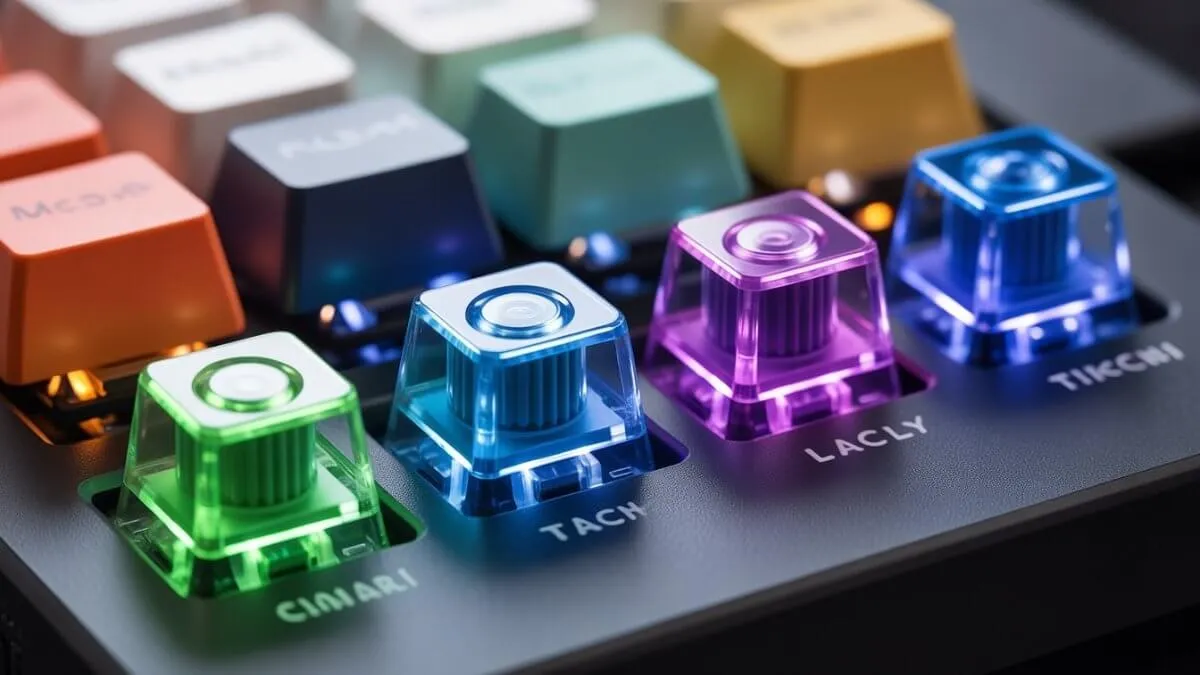
Example of different mechanical keyboard switch types (linear, tactile, clicky)
Because that answer changes everything.
- Competitive gamer? Hall Effect is genuinely worth prioritizing. Analog input, rapid trigger, near-zero actuation drift these aren’t marketing fluff, they translate to real performance. Look at the Halo 65 HE or Wooting’s lineup and don’t let anyone talk you out of it.
- Writer or programmer? The gaming badge means nothing to you. What matters is switch feel, sound profile, and whether you can survive eight hours of typing without your fingers staging a revolt. Tactile or linear switches, gasket mounting, solid aluminum body those are your priorities.
If you’re building a complete setup, your keyboard should fit into your overall environment check out our complete gaming setup guide to see how everything connects.
2. Pick your layout before you pick your board
This one’s underrated, and people skip it constantly.
| Layout | Best For |
|---|---|
| Full-size | Numpad-heavy workflows (accountants, we see you) |
| 75% | The sweet spot — compact without sacrificing usability |
| 65% | Sleek, but unforgiving if you’re not ready to commit |
| 60% | A lifestyle choice, not just a keyboard |
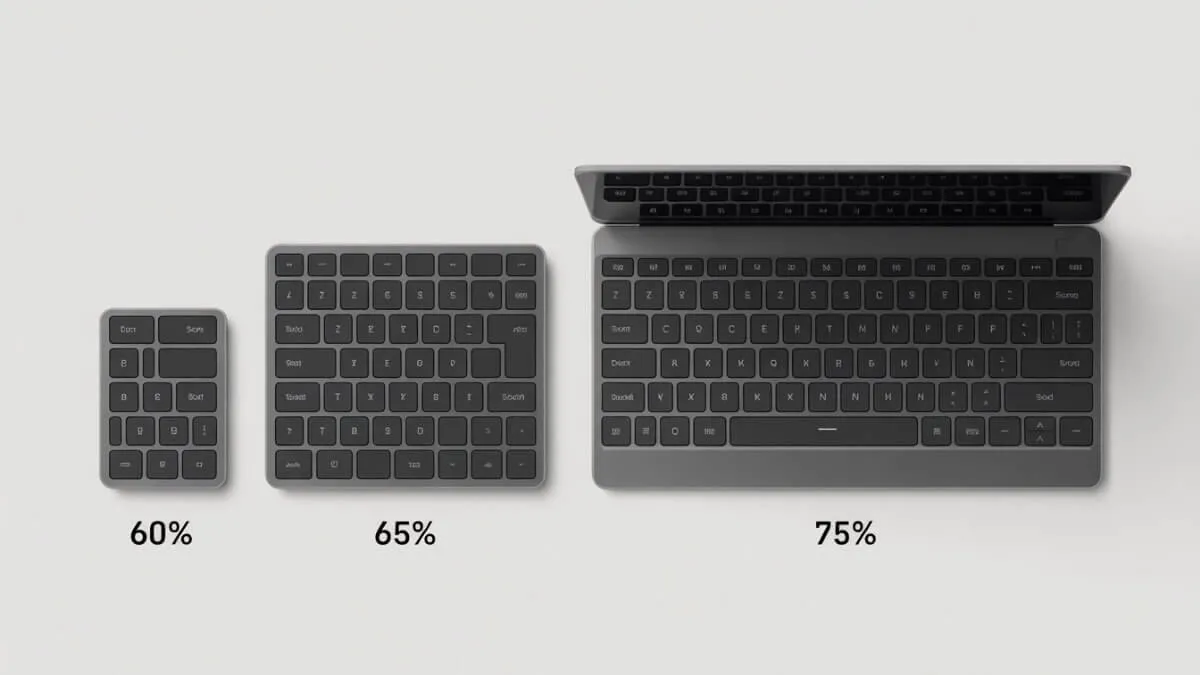
The 75% hits the sweet spot for most people: compact enough to free up desk space, complete enough that you’re not constantly reaching for function layers to do basic things.
3. Budget honestly, not aspirationally
Here’s the trap: people set a $50 budget, fall in love with a $150 board, and either overspend or feel disappointed by what they actually buy.
Pick a real number, then find the best option within it. As this guide shows, every tier genuinely delivers now you’re not settling by staying at $30–50, you’re just choosing differently.
4. Kit vs. assembled: know your patience level
If you’ve never built a keyboard before, there’s real satisfaction in going the kit route but also real frustration if you’re not ready for it.
- Want to build? The Neo 60 Core is a fantastic first project, intuitive enough for beginners but deep enough to keep you experimenting for months.
- Want to plug in and type today? The ND75 or Halo 65 HE ship ready to go, no assembly required.
Neither path is wrong. Just be honest with yourself on day one.
5. Don’t optimize for someone else’s preferences
The forums will tell you thock is everything. Your coworkers will tell you clicky switches are annoying (they’re right, by the way). YouTube reviews will make every board sound life-changing.
Filter all of it through your actual hands, your actual desk, your actual workflow.
The perfect keyboard isn’t the most expensive one, or the most hyped one, or the one with the best specs on paper. It’s the one you actually enjoy using every single day. Start there, and the rest gets a lot easier.
The new budget reality
Overall, this custom keyboard buyer guide gives you everything you need to choose the right keyboard in 2026. Here’s what’s wild: products that cost $150-$200 three years ago now constitute premium territory. The true budget range has settled at $50-$100, and somehow quality standards haven’t dropped; they’ve improved. Manufacturing efficiency and competition drive continuous advancement.
We’re only five months into 2025, and the release schedule is already packed. Don’t rush decisions. Waiting often reveals options that better match your specific preferences (and I say this as someone who’s impulse-bought way too many keyboards). Whether you prioritize gaming performance, typing experience, aesthetics, or modification potential, there’s something for you now, or there will be soon.
If you currently own a keyboard, evaluate honestly: what specific improvements are you actually seeking? Don’t upgrade for the sake of upgrading (says the guy with seventeen keyboards under his desk, but do as I say, not as I do).
These keyboards represent starting points, not exhaustive options. The market expands weekly. Your perfect keyboard might drop next month, might be available now but undiscovered, or might require patience. This custom keyboard buyer guide is designed to simplify your decision and save you time.
But it exists. That’s the beauty of where we are in 2025: it actually exists, and you can actually afford it.
Want to complete your setup? Read our full Gaming Setup Guide to build the perfect system step by step.