Choosing the best microphone for streaming can be a daunting task, filled with acronyms, specifications, and marketing hype. Hundreds of options exist for a device that fundamentally does one thing: capture your voice and make it recordable. But how that happens varies so dramatically based on technology, room setup, and your actual goals that it’s no wonder most streamers get paralyzed by choice.
Choosing the best microphone for streaming depends on your setup and environment. This guide covers everything you need to know from core microphone technology to specific model recommendations so you stop second-guessing and start sounding professional.
If you’re building a** complete streaming setup**, choosing the right microphone is essential for achieving high-quality audio.

Dynamic vs. condenser microphones: Which is right for streaming?
Here’s a quick visual comparison between dynamic and condenser microphones:
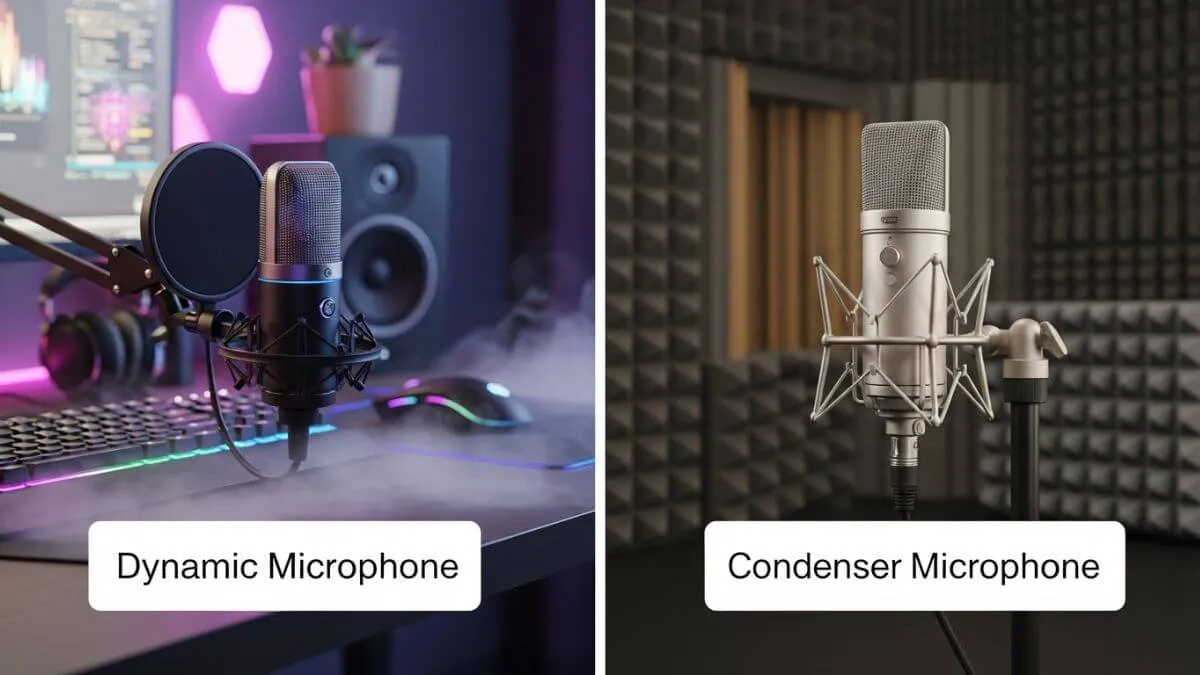
Comparison between dynamic and condenser microphones for streaming setups
Understanding this distinction is the single most important decision in your streaming microphone setup.
Condenser microphones: studio-grade detail
Condenser mics are what you see in professional studios, typically side-address designs (you speak into the side, not the top). The detail they capture is extraordinary: every vocal nuance, every subtle inflection, every breath.
However, this sensitivity can also be a disadvantage. Condenser mics capture everything: keyboard clicks, mouse sounds, distant conversations, AC units, and computer fan hum. In an acoustically treated room, the sound quality is incredible. In a typical bedroom or apartment? It’s a nightmare.
Best condenser picks:
- **Audio-Technica **AT2020: the legend of budget condensers, genuinely professional sound without breaking the bank
- Elgato Wave Series (~$130): excellent USB condenser with powerful software, outstanding value for treated spaces
- Sennheiser MKH416 (~$1,000): shotgun condenser with better side-noise rejection, but priced more than most entire streaming setups
Choose a condenser if you stream from a dedicated, acoustically treated room.
Dynamic microphones: the practical streaming solution
Dynamic mics are top-address (you speak into the top) and excel at one critical thing: rejecting sounds that aren’t coming directly from in front of them. For streaming, this feature changes everything.
- Are keyboard and mouse clicks positioned behind the mic? Barely audible.
- Conversations elsewhere in the room? Nearly nonexistent.
- AC noise and computer fans? Filtered out naturally, no software needed.
Distance sensitivity is another underrated advantage. Move away from a dynamic mic, and your volume drops sharply; this is a feature. It means random side conversations and ambient noise stay out of your stream.
Best dynamic picks:
- Shure SM7B’s near-mythical status in the streaming world and radio-station quality, fully justifies its premium price for serious creators
- Rode PodMic (~$100) delivers roughly 80% of the SM7B’s sound quality at a fraction of the cost; the black version looks exceptionally clean
Choose a dynamic if you stream from a shared space, apartment, dorm room, or any untreated environment, which is most of us.
USB vs XLR microphone: connection types explained
XLR microphones: professional flexibility
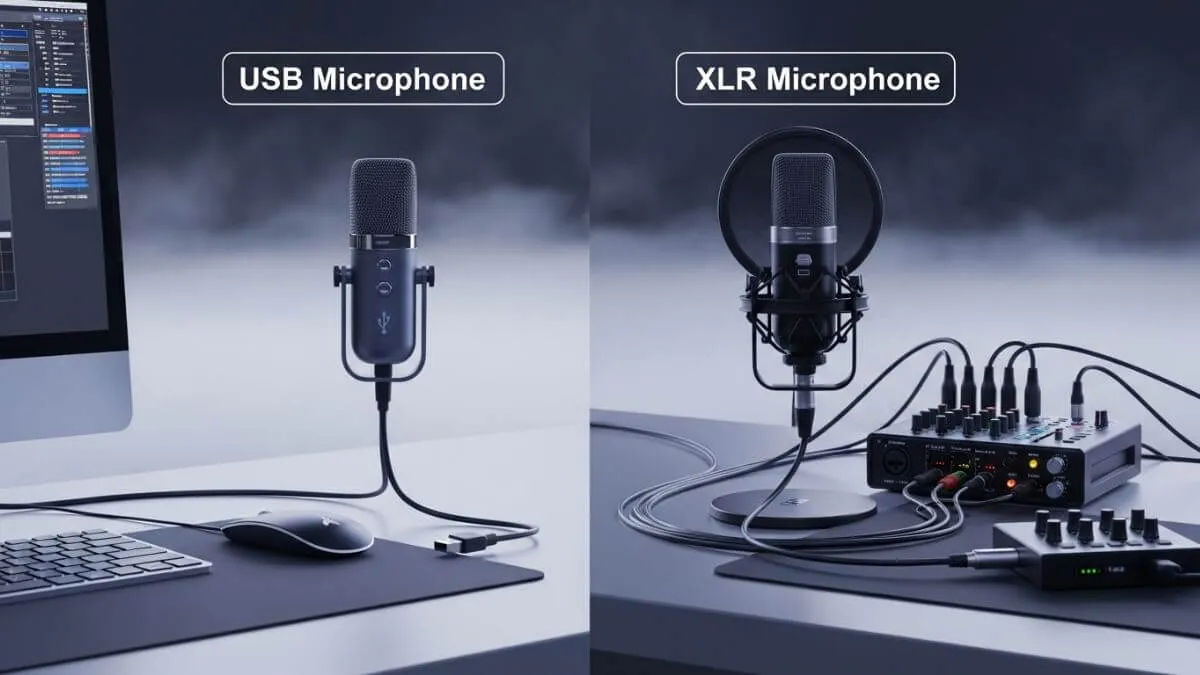
XLR mics are just the capsule; they need external gear to work: a preamp to boost the signal and an analog-to-digital converter to make it computer-readable. Usually both come packaged in an audio interface.
This modular approach is its superpower:
- Use a GoXLR Mini for your gaming setup
- Switch to a portable recorder for mobile content
- Insert hardware compressors or EQs mid-chain for unique sounds
- Upgrade your interface later without replacing the mic
The tradeoff? More gear, more cost, more setup complexity. XLR mics also don’t support RGB lighting; the cable can’t supply enough power. For most people, that’s refreshingly professional.
Choose** XLR if** you want maximum flexibility, are building a serious content creation workflow, or record across multiple contexts (podcasts, voice-overs, and music).
USB microphones: integrated simplicity
USB mics pack everything the capsule, preamp, and converter into one device. Plug in, select it in your software, and record. That’s it.
The outdated assumption that USB automatically means lower quality died years ago. Modern USB microphones for streaming match or even exceed many budget standalone interfaces. In fact, when brands release both XLR and USB versions of the same mic, the USB version typically costs more because it contains additional internal electronics.
Top USB picks for streaming:
- The Beacon Mic (~$280) is the gold standard for streaming USB mics; it has a dynamic capsule, built-in effects processing, zero-latency headphone monitoring, and integrated mixing software. The most complete all-in-one streaming audio solution available.
- Rode PodMic USB (~$200) has excellent core sound quality; lacks the integrated mixing suite but pairs well with software alternatives
Choose USB if: You want the simplest possible streaming audio setup without becoming an audio engineer.
Critical features for your streaming audio setup
Mixing software integration
Live streaming is chaotic; you’re adjusting game audio, teammate chat, music, and mic levels simultaneously while actually playing. Dedicated mixing software isn’t optional; it’s essential.
Most streamers use tools like **OBS Studio **or Streamlabs to manage audio sources, control microphone levels, and apply filters for better sound quality during live streaming.
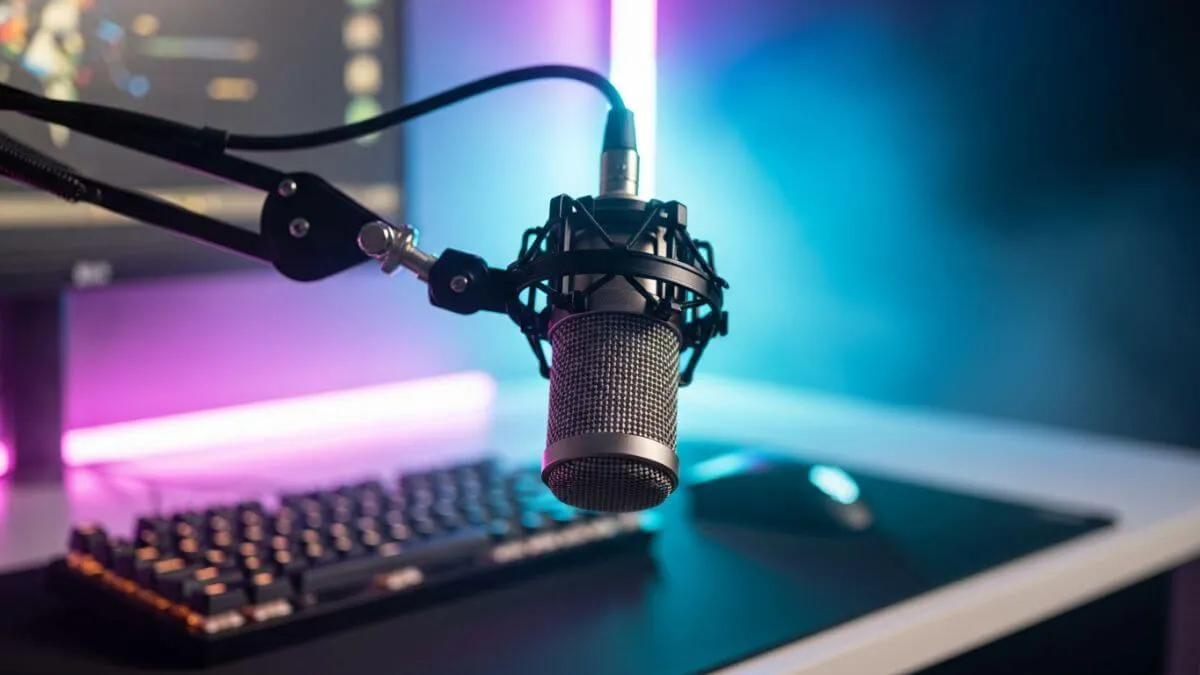
Here’s what a professional setup for controlling streaming audio looks like:
- GoXLR Mini hardware faders for complex XLR routing
- **Elgato **WaveLink: exceptional third-party plugin support; pairs brilliantly with the Stream Deck Plus for physical dial control without tabbing out mid-game
- Beacon Mix: Create dedicated fader hardware that feels immediately intuitive
Zero-latency headphone monitoring
Mics and interfaces with built-in headphone jacks let you hear your processed voice in real time before it goes through your computer. Without such a setup, you hear your voice after digital conversion, which creates a delay that your brain genuinely cannot adapt to. It’s like a phone call with excessive lag. You’ll immediately catch wrong levels, plosive pops, or cable issues before your chat does.
Real-time effects processing
This technique is what separates amateur streams from professional ones:
- A noise gate kills breathing sounds and background noise between sentences
- Compression evens out volume so you’re not constantly riding the fader
- EQ removes harsh frequencies and enhances vocal clarity
- A limiter prevents audio peaks that make viewers rip their headphones off
Important: Hardware processing (inside the mic or interface) applies effects with zero latency. Software processing through your PC introduces subtle delays that affect your natural speaking rhythm more than you’d expect.
Best microphone for streaming: matching the right mic to your use case
Choosing the best microphone for streaming depends on your setup and environment.
Best microphone for Twitch streaming / live streaming
Live streaming has no “fix it in post.” “You need everything working in real time. If you’re looking for the best microphone for streaming, your choice should depend on your environment and setup.
| Priority | Recommendation |
|---|---|
| Best overall | Beacon Mic USB dynamic, integrated effects, mixing software, zero-latency monitoring |
| Best budget | **Rode PodMic **USB: excellent sound, requires software for mixing |
| Best for treated rooms | Elgato Wave 3 USB condenser, detailed vocal reproduction |
Best microphone for noisy room streaming
If you’re in an apartment, dorm, or shared space, go dynamic every time. The Rode PodMic (XLR or USB) and Shure SM7B both excel here. Their directional pickup patterns reject off-axis sound naturally, meaning fewer noise complaints and consistent audio quality regardless of what’s happening around you.
Best microphone for beginner streaming setup
For a USB microphone setup for beginner streaming, the formula is simple:
- Use the Rode PodMic USB if budget is the priority
- Beacon Mic if you want professional features without managing multiple devices
- Avoid condenser mics until your room is treated
How to improve streaming audio quality: the honest truth
Your microphone is only one piece of the equation. Audio quality depends on the entire signal chain:
- Room acoustics matter more than most people admit. Hard walls, parallel surfaces, and bare floors create echoes that any mic, no matter how expensive, will faithfully capture. Even basic acoustic panels make a measurable difference.
- Don’t over-invest in the mic while neglecting everything else. A $100 Rode PodMic with solid acoustic treatment will sound better than a $400 condenser in an untreated room.
- Watch real-world reviews from unbiased sources like Podcastage before buying. Manufacturer marketing tells you nothing useful.
- Practical rule: If you genuinely can’t hear the difference between two mics in a blind comparison, your audience won’t either. Match capabilities to actual needs rather than chasing specs.
Quick reference: best microphone for streaming by budget
| Budget | Pick | Type | Connection |
|---|---|---|---|
| ~$100 | Rode PodMic | Dynamic | XLR or USB |
| ~$130 | Elgato Wave 3 | Condenser | USB |
| ~$200 | Rode PodMic USB | Dynamic | USB |
| ~$280 | Beacon Mic | Dynamic | USB |
| ~$400 | Shure SM7B | Dynamic | XLR |
| ~$1,000 | Sennheiser MKH416 | Condenser (Shotgun) | XLR |
Ultimately, the best microphone for streaming is the one that fits your specific needs and recording environment. The best microphone for streaming isn’t necessarily the most expensive one; it’s the one that matches your environment, workflow, and budget.
- Shared or untreated space? → Dynamic mic, always.
- Want simplicity? → USB.
- Building a serious content creation system? → XLR with a quality interface.
- Best single product? → The Beacn Mic offers the most complete streaming audio solution in one package. The Rode PodMic wins in value.
Invest across your entire signal chain: room treatment, interface quality, and monitoring, not just the microphone itself. This balanced approach will always outperform spending all resources on a flagship mic while ignoring the fundamentals.
To build a professional streaming setup, check our complete streaming setup guide covering all essential gear from microphones to webcams.